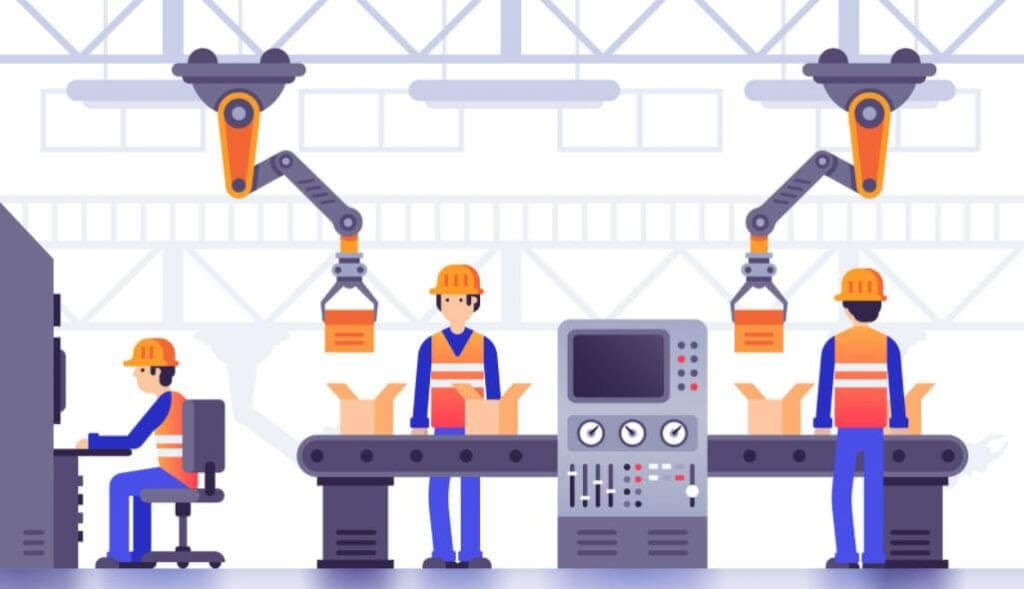
10 Free Task Assignment Software Tools for Employees with Plenty of Advantages
Vũ Khôi
Tác giả tại Wotech Electronics Blog
10 Free Task Assignment Software Tools for Employees with Plenty of Advantages
Vũ Khôi
Author at Wotech Electronics Blog
Nowadays, businesses increasingly tend to use task assignment software for employees to simultaneously track and manage work, saving time and delivering higher efficiency. In this article, SimERP will introduce you to the advantages and features of these tools, along with a top 10 list of effective employee task assignment software that helps managers plan, assign tasks, and track project progress in the most optimal way.

The Outstanding Advantages of Employee Task Assignment Software
With the COVID-19 pandemic still spreading, many businesses have opted for software-based management instead of traditional methods. So how does task assignment software benefit a business? Beyond its core function of assigning tasks to employees, what superior advantages do these tools offer over the old way of managing? Let's find out right below!
Outstanding advantages of employee task assignment software:
Compatibility with a wide range of devices
Today's employee task assignment software is all developed to be compatible with many different devices, from mobile phones and tablets to desktop computers and laptops. At the same time, these tools run on popular operating systems such as Windows, Android, and iOS.
Managing and storing work information
Tasks assigned verbally or via personal notes are often hard to keep track of when you need them. With employee task assignment software, work information is updated fully and in detail on a single platform, making tracking and management much easier.
Powerful permission management
When using task assignment software, employees are granted permissions and carry out their duties according to different hierarchy levels, with each level managing itself while being managed by the level above. With this feature, work is tracked and managed closely, and administrators get an overall view of task progress — who has completed their assignments, what the completion rate is, and so on.
Reporting
After each working day or each project, the task assignment software compiles and generates a list of tasks that have been completed, who completed them, and which tasks remain unfinished, etc.
Planning
Users can take advantage of built-in tags or create their own to categorize tasks according to priority level. Items tagged as priority or important are placed at the top of the list to be done first, with reminders sent if they remain incomplete. This helps employees and managers track work progress closely and adjust immediately if any issue arises.
Integration with other tools
The most notable feature of employee task assignment software is its ability to connect with many other tools, creating a more complete and effective management system, which in turn helps managers interact with and inform each individual employee.
Employee task assignment software is not only useful for managers — it is also an optimal support tool for employees.

For employees:
-
Arrange time and work sensibly, prioritizing important tasks.
-
Track project progress and overall workflows together with management.
-
Stay on top of individual and departmental tasks, and get timely support when needed.
-
Interact effectively with other employees, especially in businesses that work across many branches at home and abroad.
For administrators:
-
Oversee all departments and the workflows of each project.
-
Accurately assess each employee's capabilities to allocate work appropriately.
-
Internal communication is more secure than exchanging information via social media.
-
Identify and fix risks promptly and quickly.
Beyond the basic features, each piece of employee task assignment software has its own strengths. The challenge for businesses is choosing which software best fits their business model, so that work gets done quickly with the best possible results.
Essential features of free employee task assignment software in the Industry 4.0 era

When you search for the phrase "employee task assignment software," you'll get millions of results. This shows that the market is full of providers offering tools for assigning work to employees. In practice, however, not every tool meets basic needs. Below are the four most essential features of employee task assignment software in the 4.0 era.
Planning, task assignment, and work coordination features
Good, modern employee task assignment software must make it convenient for managers to plan work, assign tasks, and coordinate activities quickly.
Today, thanks to the development of cloud technology, users can access the software anytime, anywhere, on mobile phones, tablets, and desktop computers/laptops.
Management features
The second feature employee task assignment software needs is multi-dimensional management capability: task management, resource management, and work performance management.
Instead of juggling scattered tools like Gmail, Skype, Zalo, Excel, and Drive, managers can centrally monitor the work of departments and individual employees on a single software system.
Reporting and measurement features
Gives administrators an overview and detailed reports on the progress, status, etc. of all work in the business across multiple dashboards.
Helps administrators balance employees' strengths and weaknesses, then plan training and allocate resources to handle work effectively.
Interaction features
Communication is an indispensable part of work — between managers and employees, or among employees themselves — to understand the flow of work-related information and resolve tasks as quickly and effectively as possible.
Criteria for choosing the right employee task assignment software for your business

The evaluations above have given readers a better understanding of employee task assignment software. But how do you choose the software best suited to your business? Below, SimERP offers a few tips for selecting task assignment software — we hope they help.
-
Choose based on actual needs. Identify which features your business needs, then research and list them out to make sure you pick the most suitable software.
-
Decide whether you want an All-in-one platform (all data centralized, easy connectivity, simple interface, low cost of use) or specialized Microservice software (independent data, each module representing one feature, higher cost than All-in-one).
-
Choose software based on your budget.
-
Consult your employees to see whether they are willing to use the software.
-
Check whether the developer's technical support policy is good.
-
Try the software before committing to a subscription.
Top 10 effective employee task assignment software today
Faceworks
Faceworks specializes in providing business management software packages, either pre-programmed or flexibly customized to user requirements. The software is built on cloud computing and runs on a web platform. Every deployment, maintenance, or upgrade operation happens quickly, with anytime, anywhere access as long as there is an internet connection — and data is committed to absolute security.
Advantages:
-
Offers many management software packages across multiple fields.
-
Applies ERP (enterprise resource planning software) to management processes for high efficiency.
-
Has an in-house technical team to design custom management software.
-
Lightweight software that still ensures data safety.
Disadvantages:
-
Time-consuming and costly to implement the system.
-
Difficulties arise when shifting traditional work culture and habits.
SimERP Software and the Project Management Module

SimERP is an enterprise resource planning (ERP) software developed on the basis of Odoo — the most popular ERP software in the world, with many outstanding advantages. Today, SimERP has developed more than 30 core modules with a wide range of flexible custom applications, serving over 15,000 customers worldwide. SimERP's close partners include 24h Visa, Drinkies by Heineken, Trung Nguyên Group, Flexfit Furniture, and more.
As one of SimERP's modules, the project management module helps you maximize productivity and work quality with professional project management applications, making it easy to track progress and assign personnel.
Key features:
-
Information management: grasp your tasks through a minimalist, friendly interface.
-
Work scheduling: track project progress to allocate personnel appropriately.
-
Planning: allocate time sensibly and coordinate smoothly across departments.
-
Performance evaluation: automatically generate reports and analyze data quickly and transparently.
Advantages:
– Vietnamese language support
– Free: you can use SimERP as a free employee task assignment software
– Smart interface
The interface is designed with a modern look that allows businesses to monitor and run their projects at every level.
-
Easily set priorities for each task and project.
-
Track project progress anytime, anywhere, on multiple devices.
-
Proactively customize statuses and set notifications for important items.
– Comprehensive collaboration
Coordinate and divide tasks among team members and departments on a single platform.
-
Discuss work directly via email and messages on each task.
-
Communicate with customers while ensuring information security.
-
Share and manage shared documents conveniently and quickly.
– Automated reporting
Helps managers fully track work progress data on a single consolidated dashboard.
-
Allocate resources effectively thanks to accurate overview data.
-
Detailed analysis of project revenue and costs.
-
Track work progress: completion rate, completion time, unfinished tasks, etc.
Izwork
Izwork is a tool that helps businesses manage processes and project progress conveniently. With a friendly interface and intuitive layout, this online task assignment software lets you create to-do items and assign tasks to each employee with just a few simple steps. In addition, Izwork supports intelligent automatic task sorting, continuously updates task status, and enables safe online file sharing with unlimited storage capacity.
Advantages:
-
Works across multiple platforms.
-
Friendly, easy-to-use interface.
-
Fast task creation and assignment.
-
Generates work progress reports.
-
Project documents are shared online with all participants, ensuring safety and security.
-
Displays task lists in intuitive tables for user convenience.
Bitrix24
Bitrix24 is software that provides tools for assigning and managing tasks, customer support, internal communication, and e-commerce. A standout advantage of Bitrix24 is that it runs on multiple platforms, from Android and iOS on mobile devices to Windows and macOS on computers and laptops.
Bitrix24 allows administrators to assign tasks, manage workloads, and monitor them continuously. The software also converts work into diagrams and Gantt charts, making evaluation easier. Beyond planning and project management features, Bitrix24 also helps you communicate and collaborate with colleagues quickly through electronic devices and email.
Advantages:
-
Multi-platform support: Android, iOS, Windows, macOS.
-
Full suite of modern features, optimized for users.
-
Easy management of tasks, project progress, employee evaluation, etc.
Cloudoffice

Cloudoffice is software that helps businesses manage documents and run operations quickly and effectively. This online management and task assignment software is divided into main modules such as documents, tasks, utilities, files, administration, and personal. Within each module, Cloudoffice provides users with the corresponding management tools.
Using Cloudoffice for work and management allows users to work remotely and track progress on electronic devices with an internet connection. Exchanging and sharing documents and information with colleagues or members of your department or team also becomes easier.
Advantages:
-
Multi-platform support: Android, iOS, Windows, macOS.
-
Can manage all office operations.
-
Designed to suit a wide variety of work contexts.
ASANA
Asana is a project management tool available on both a web interface and mobile devices. The software is designed to help businesses organize, track, and manage work in a sensible, efficient, and fast manner.
Advantages:
-
Asana is completely free for teams of 15 members or fewer.
-
Friendly interface with a scientific, professional design that is easy for anyone to use.
-
Comprehensive project tracking: task lists and work breakdown from large to small help managers keep an overview of all their projects.
-
Visual reports updated in real time let users immediately gauge project performance.
Disadvantages:
-
No Vietnamese version.
-
Cost of use: you can use Asana as a free employee task assignment tool with features such as collaboration, planning, and basic reporting, with a maximum of 15 users. However, for larger teams you must upgrade to a plan priced at $9.99 per user per month. To take full advantage of Asana's premium features, businesses therefore have to pay a fairly steep fee. Compared with other software offering the same functionality in Vietnam, that cost is a considerable barrier.
With the features above, Asana is best suited for businesses with a cross-functional collaboration model, where an employee needs to participate in multiple projects or departments.
Trello
Trello is an effective task assignment and management tool for teamwork, letting users see at a glance which tasks exist, who is doing what, and how far along they are. Trello can be considered free task assignment software — you can use it entirely free of charge until you need advanced features.
Advantages:
-
Trello's workspace resembles sticky notes on a screen, so using it is incredibly easy.
-
Just by looking at Trello's interface, a manager can immediately grasp project progress visually.
-
Syncs across all your devices.
-
Automated workflows with the built-in Butler integration.
Disadvantages:
-
As a foreign task management tool at heart, Trello is not entirely suitable for managing many types of businesses in Vietnam today.
-
No interaction/discussion feature for work items.
-
Does not provide comprehensive or detailed reports on work progress.
-
Not effective for users who want to optimize management time.
Amis
Amis — task tracking software with all the features needed to manage work effectively by time, progress, cost, and employee productivity.
Advantages
-
Create comprehensive and detailed work plans
-
Assign permissions to project participants, with easy options to add people and define each individual's role in the work
-
Assign and receive tasks anytime, anywhere on mobile phones, laptops, and tablets via in-app notifications or email
-
Automatically notify stakeholders of progress and new changes/updates by email
-
Flexibly create departments/functional groups and projects
Disadvantages
-
Does not yet support resource coordination under a resource allocation model.
-
Does not yet support integration with other software on the same platform to link work and sync data.
Monday.com
Monday.com has all the basic features of task assignment and management software. Users can easily plan, divide, and manage work, manage individual tasks, and track time, etc.
Monday.com can integrate with other project management software such as Slack, Google Drive, Gmail, and Trello, and can be accessed via Zapier. In addition, the software allows users to easily sign in to Monday with a Google or LinkedIn account and try it free for 14 days.
Advantages:
-
Eye-catching, friendly, easy-to-use interface.
-
Flexible customization.
-
Provides a full set of features for team work management.
-
Offers a free trial.
Disadvantages:
-
Monday.com is a foreign task assignment tool, so users sometimes run into language barriers while using it.
-
Additionally, its cost is quite high compared with other task management software in Vietnam.
Wrike
Wrike is regarded as effective and easy-to-use task assignment and management software, with a customer base of more than 20,000 agencies and organizations worldwide. The software is suitable for managing and assigning work to teams of 5 or more members, with no user limit.
Like the tools above, Wrike has all the basic features for assigning tasks, managing work, managing business plans, and handling projects. With Wrike, users can set up and customize workflows, configure reports, and more.
Wrike provides management information via Kanban boards and Gantt charts. In addition, Wrike comes with built-in integrations with the most popular file management software from Google, Microsoft, and Dropbox, along with marketing and sales software from Salesforce and Marketo.
Advantages:
-
Has a free trial.
-
Intuitive interface and navigation, easy to use with separate folders and tasks.
-
Manage multiple projects and teams at once, with the ability to combine with other management software — great support for employees working from home.
Disadvantages:
-
Customer care is not really good.
-
No Vietnamese support yet.
Aside from the language issue, Wrike is regarded as effective task management software that is well worth businesses trying out.
Conclusion
Those are SimERP's insights into the advantages, features, and top 10 employee task assignment software available today. We hope this article helps you choose the task assignment software that suits your business needs, so you can track assignments and run operations as effectively as possible. Wishing you success — and don't forget to share your thoughts in the comments section below!
Related articles
Bài viết liên quan

25 tháng 10, 2026 · 3 phut doc
2024年网页设计趋势预测如何? | Wotech Electronics
关于 2024 年网页设计趋势——步入 2024 年,年初正是我们为新事物预留时间的时刻。这也非常适合设计师群体唤醒我们内心的"艺术之魂"。闲话不多说,快来和 Markdao 一起浏览 2024 年的 UX/UI 设计趋势吧,说不定您就能为自己接下来的网页设计项目"迸发"出一个绝妙的点子呢!

25 tháng 10, 2026 · 1 phut doc
什么是网站(Website)?网站的详细定义及其带来的商业价值
什么是网站(https://www.markdao.com.vn/blog/website-la-gi)——这个问题或许已经无需定义,因为在如今这个信息时代,网站对每一家企业而言都是不可或缺的组成部分。正是网站帮助用户更近距离地接触企业所提供的产品和服务,从而提升经营效益。此外,要在当今竞争如此激烈的环境中求发展,网站是一个重要因素,它将带你走向品牌与销量上的双重成功。

25 tháng 10, 2026 · 1 phut doc
什么是SEO标准网站?一场"打赢"Google SEO标准的战役 | Wotech Electronics
99%的用户在购买前会先搜索信息,73%的用户只会访问排名前10的网站,并认定它们是值得信赖的品牌……在数字营销爆发的时代,这些数字有力地印证了SEO标准网站的重要性。然而,许多人对什么是SEO标准网站(https://www.markdao.com.vn/blog/huong-dan-toi-uu-seo-website-chuan-seo-on-page)仍然相当模糊,并未真正理解。达到SE…