
What Is an Email Signature? Benefits and Tips for Creating a Professional Email Signature | Wotech Electronics
Vũ Khôi
Tác giả tại Wotech Electronics Blog
What Is an Email Signature? Benefits and Tips for Creating a Professional Email Signature
Vũ Khôi
Author at Wotech Electronics Blog
If your job requires frequent communication and correspondence over email, creating an email signature conveys professionalism while leaving a memorable impression on your partners and customers.
An email signature is where viewers can easily find the sender's information. So how do you create one, and how do you get a beautiful, truly professional signature? Let SimERP walk you through email marketing, starting with this first step!
What Is an Email Signature?
An email signature is not like your ordinary handwritten signature — it is a block of information that automatically appears at the end of every email. You do not have to write it out again; you simply set it up once, and the system will automatically append this signature to the end of each email you send.
The signature at the bottom of an email marketing message not only scores points with customers and partners but also reflects your professional, courteous working style.

To get a professional personal email signature template, you need a logo, a font, text colors, and an arrangement of the information blocks that is harmonious and pleasing to the eye. An email signature can be presented as an image or as text.
Benefits of Creating a Professional Email Signature

For many people, creating a beautiful email signature template is just a "box-ticking" exercise. But an email signature can be a genuinely useful tool for those who know how to make the most of it. For businesses in particular, it plays an extremely important role in an email marketing strategy that makes a strong branding push.
Email signatures are not just for businesses — individuals can use them too. Because the content of a signature, when sent, works like leaving your business card behind, it easily makes an impression on the recipient.
What's more, an email signature not only sends a clear signal to the recipient but also provides them with key information that helps them recognize your brand — or you as an individual.
Creating an email signature gives recipients the important information they need, making communication easier. The clearest contact details to include in an email signature are: phone number, address, social media accounts, website, and more.
If every employee in a company uses the same standard email signature, it builds and reinforces an incredibly strong brand in the eyes of customers and partners.
The email signature plays a particularly important role in building an overall brand image. It makes customers recognize your business more easily and lends professionalism to the way you work.
In addition, an email signature is a form of advertisement that helps you run better and more effective marketing campaigns with a single mouse click, since within the signature you can embed contact details, social media accounts, or the company website.
Elements That Make an Email Signature Professional
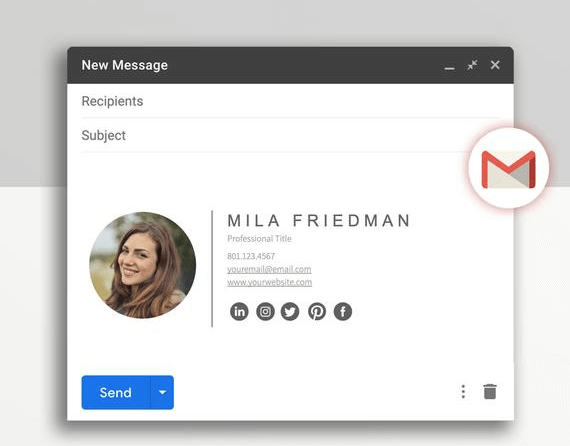
A quality email signature must fulfill two missions well: capturing the reader's attention and conveying your full information to them. To achieve that, when setting up your email signature you should ensure the following basic elements:
-
Name, title, and company: Your name tells viewers who sent them the email. If you represent a business, you should include both your name and your title at that company.
-
Contact information: Contact details should include the company website, phone number, and your address.
-
Social media links: Adding social media contact information to your email signature is very important. Choose your most popular and professional social accounts to link — LinkedIn is a good example. Avoid linking secondary or irrelevant accounts.
-
Logo (optional): If you work for a business or own your own company, attach the brand logo in your email signature.
-
Responsive design: Smartphone and other mobile device usage keeps rising. Ignoring mobile devices means missing the chance to increase your email open and reply rates. So a design that adapts for recipients on mobile is a necessity.
-
Legal requirements: Some countries have their own legal requirements that all media and commercial companies must follow. Check with your lawyer to see whether the country where your business operates has specific regulations governing electronic signatures.
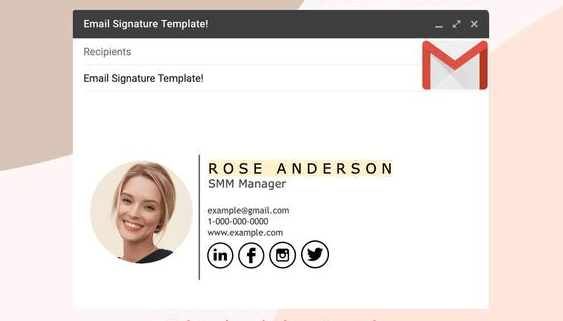
Beyond the information above, to attract recipients you should also pay attention to the following factors.
-
Images: An email signature does not require an image. However, to impress the recipient, a photo or logo is a perfect accent for your email. Choose images of a moderate size that are clear and sharp. If the image in the email is too large it will slow loading down, making your email open slower than usual — which can irritate the recipient.
-
Email signature design: A carefully, meticulously designed email signature conveys professionalism. You can apply a top-down layout. For key information such as your full name, phone number, or address, use bold and a larger font size.
-
Signature layout: The layout of an email signature should also be kept as simple and tidy as possible (avoid semi-flat or flat text, and limit 3D-style typography).
-
Typography: Use familiar, highly legible fonts such as Times New Roman or Arial. Avoid hard-to-read styles like script or calligraphy.
-
Color choices: To attract recipients, use at most 3 colors when designing your email signature.
How to Create an Email Signature
To create an email signature, the simplest way is to use the built-in tools in your email client. Once designed, the signature will be automatically added to the bottom of every email you send.
Below is how to create an email signature in three popular email clients today: Gmail, Outlook, and HTMLSIG.
Creating a professional email signature in Outlook
To create a signature in Outlook, follow these steps:
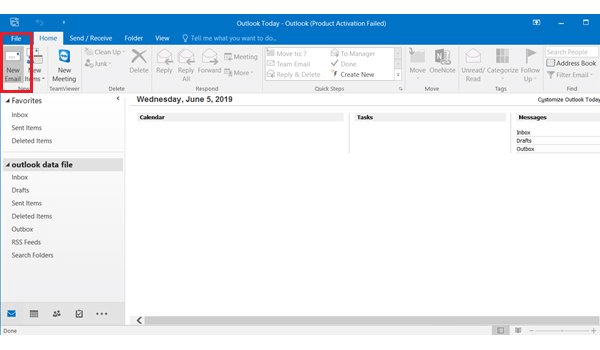
Step 1: Open Outlook and click "New Email" to create a new email.
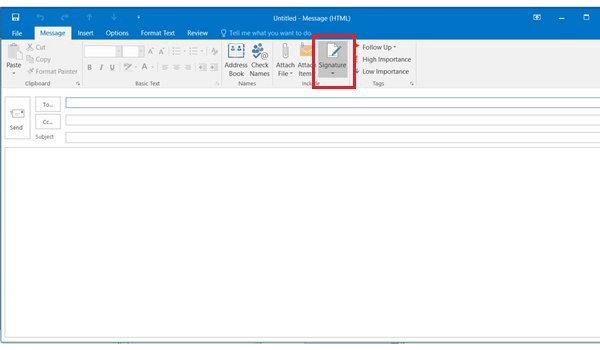
Step 2: Click "Signature" in the "Message" menu.
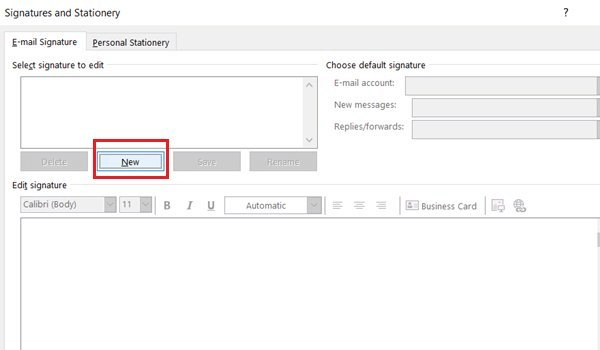
Step 3: When the system displays the prompt, click the "New…" button to create a new signature.
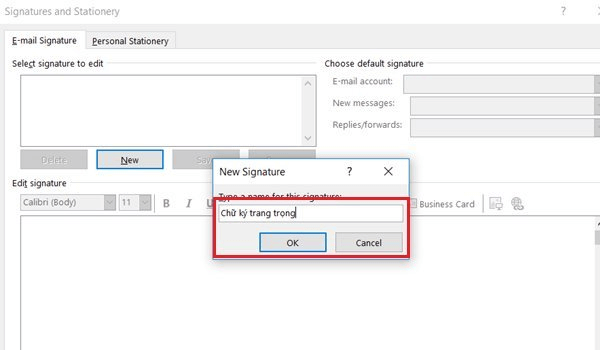
Step 4: Here, enter a name for your signature and click "OK".
Step 5: Enter the information you want to display in your email signature in the "Edit signature" box below. You can customize the colors, font style, font size, and add an image or logo to your liking.
Click "OK" when finished.
Step 6: To add the signature to an email, simply click "Signature" and select the one you just created.
How to create an email signature in Gmail
Creating an email signature in Gmail is also very simple. Just follow these steps:
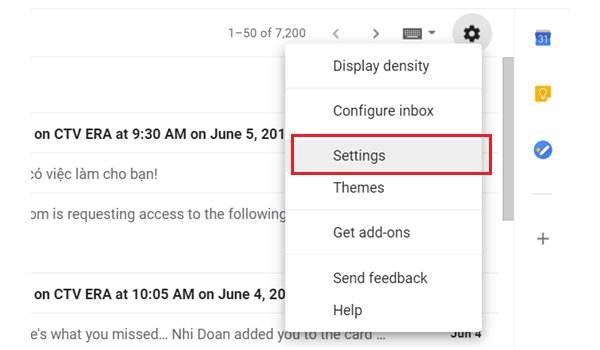
Step 1: Open your Gmail account. Then click the gear icon in the top-right corner of the screen and select "Settings".
Step 2: In the General settings, find the Signature section and check the box below the "No signature" option. You can then type the content of the signature you want to create into the editor box.
As in Outlook, you can also easily change the color, font style, and size, and add an image or logo to your liking.
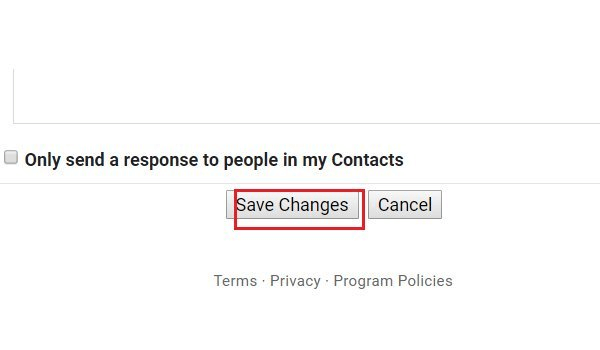
Step 3: Once your signature is set up, click "Save Changes" to save.
From now on, when you open a new email compose window, you will see the signature you just created at the bottom.
How to create an email signature with HTMLSIG
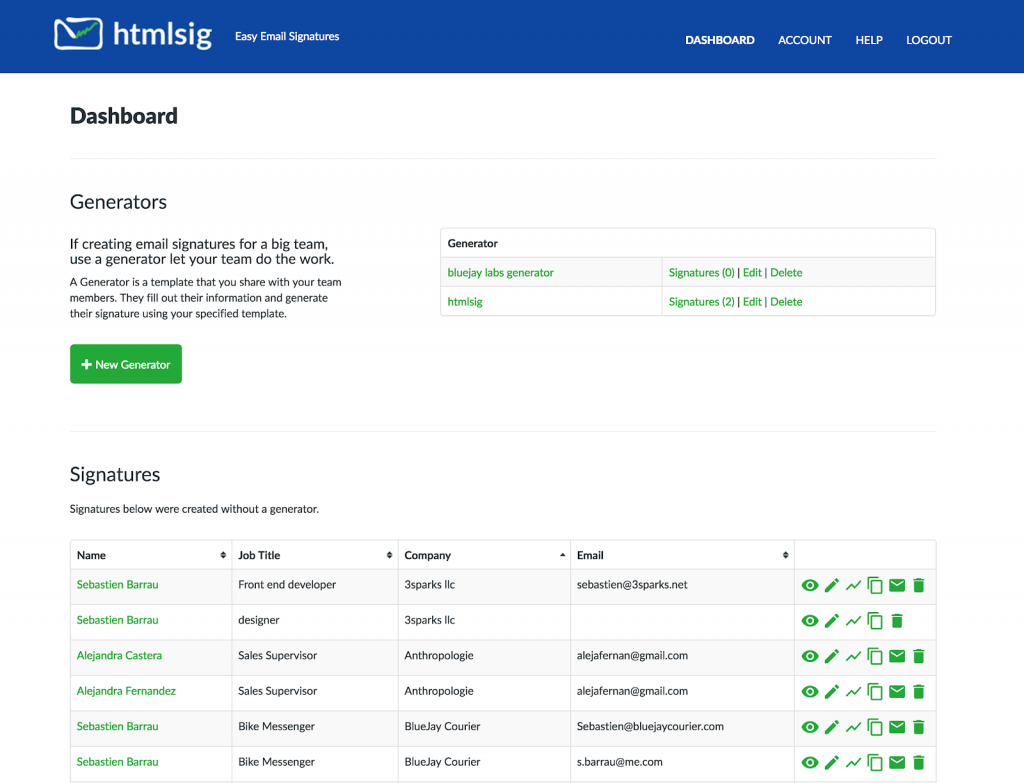
Step 1: Visit HTMLSIG at: https://htmlsig.com/. The site offers you two options for creating a signature: free and paid. Depending on your actual needs, you can choose either one.
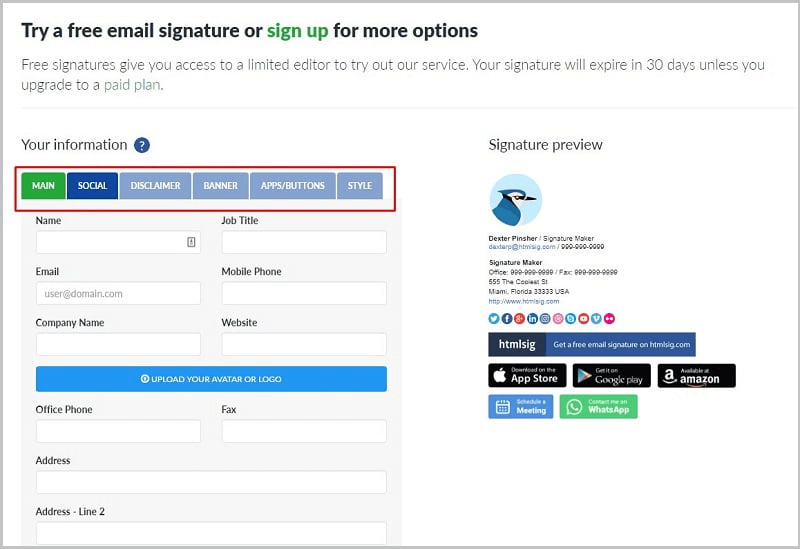
Step 2: Fill in the information in the corresponding sections: Main, Social, Disclaimer, Banner, and more.
Step 3: Click "Create Signature" to finish creating your signature.
Tips for Creating an Email Signature Template
Anyone can create an email signature, but not everyone can create a beautiful, professional email signature template. You can use the checklist below to review and evaluate your email signature:
-
Simple
-
Connected to social media accounts
-
Uses beautiful, high-quality images
-
Harmonious color combinations
-
Contrasting black-and-white
-
Consistent
A Simple Email Signature
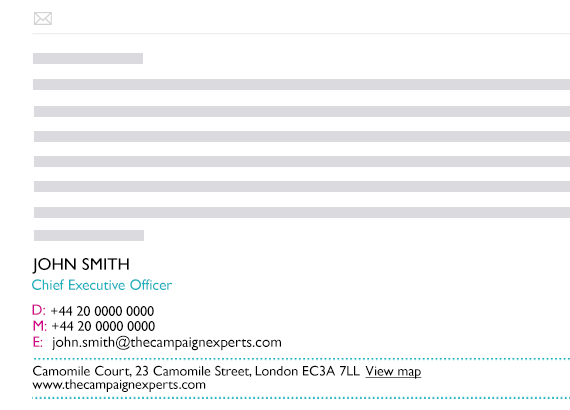
Don't be greedy by cramming in too much information. This makes your email signature dense, and recipients will find it visually confusing and experience "information overload." Keep your email signature simple, with just enough of the most essential information.
Connecting to Social Media Accounts
Social media channels are where customers interact with you the most. They can be an important part of your company's strategy for building and developing business relationships.
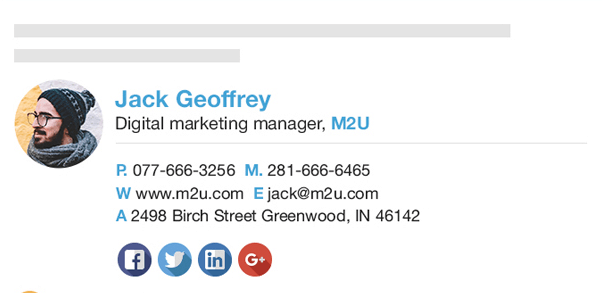
The social media contact links you attach must be official and professional. If you are not sure about a particular social page, consider removing that account from your email signature.
Using Beautiful, High-Quality Images
If you use a photo or logo in your email signature, that image must be high quality, attractive, and easily recognizable. Avoid using selfies or low-quality photos cropped from other pictures.
Here are a few tips to get the most beautiful and professional photos for your email signature:
-
Images should be small in size. An overly large image slows down email loading and makes the recipient wait longer.
-
Use images with a neutral background. A background with too much detail makes readers uncomfortable.
-
Professional attire. Make sure your hair and clothes are professionally groomed.
-
Prefer a close-up photo over a full-body shot. (Your face will be too small in a full-body photo.)
Harmonious Color Combinations

One of the simplest ways to catch a recipient's attention is color. Readers will notice a signature with eye-catching colors more. However, don't use too many colors in your signature, as it can make it look childish or unserious. Here are a few tips on using color:
-
Choose one or two dominant colors to combine, and stick with those two colors.
-
Do not use too many colors.
-
Avoid strongly clashing colors (such as purple and orange) unless those are your company's brand colors.
-
If you work in a creative field, you can use bright color palettes. For other fields, softer tones are recommended.
-
Make sure the colors you choose match your other brand presences, such as your website, social media pages, stationery, or business cards.
Using Contrasting Black and White

A brightly colored email signature will not suit some brands and industries. Using too many colors may not fit the company's image and operating principles. Or it can create a negative impression in business dealings where formality is valued more.
Not using bold colors does not mean your signature goes unnoticed. A black-and-white signature can be just as effective as one with bright colors. The key lies in the design and the use of typography.
A Consistent Email Signature Template Across the Company
If you work for a company or organization, you should follow the company's standards when creating your email signature. Typically, signature design in this case includes: a confidentiality statement, address, website link, and the company's social media accounts.
Conclusion
Those are the basics of how to create a personal email signature template and why it matters. Email signatures offer tremendous benefits for promoting both personal and corporate brands. So what are you waiting for — go design a professional email signature for yourself right now!
Related Articles
Bài viết liên quan

25 tháng 10, 2026 · 3 phut doc
2024年网页设计趋势预测如何? | Wotech Electronics
关于 2024 年网页设计趋势——步入 2024 年,年初正是我们为新事物预留时间的时刻。这也非常适合设计师群体唤醒我们内心的"艺术之魂"。闲话不多说,快来和 Markdao 一起浏览 2024 年的 UX/UI 设计趋势吧,说不定您就能为自己接下来的网页设计项目"迸发"出一个绝妙的点子呢!

25 tháng 10, 2026 · 1 phut doc
什么是网站(Website)?网站的详细定义及其带来的商业价值
什么是网站(https://www.markdao.com.vn/blog/website-la-gi)——这个问题或许已经无需定义,因为在如今这个信息时代,网站对每一家企业而言都是不可或缺的组成部分。正是网站帮助用户更近距离地接触企业所提供的产品和服务,从而提升经营效益。此外,要在当今竞争如此激烈的环境中求发展,网站是一个重要因素,它将带你走向品牌与销量上的双重成功。

25 tháng 10, 2026 · 1 phut doc
什么是SEO标准网站?一场"打赢"Google SEO标准的战役 | Wotech Electronics
99%的用户在购买前会先搜索信息,73%的用户只会访问排名前10的网站,并认定它们是值得信赖的品牌……在数字营销爆发的时代,这些数字有力地印证了SEO标准网站的重要性。然而,许多人对什么是SEO标准网站(https://www.markdao.com.vn/blog/huong-dan-toi-uu-seo-website-chuan-seo-on-page)仍然相当模糊,并未真正理解。达到SE…