What Is Point of Sale? Functions and Components of a POS System | Wotech Electronics
Vũ Khôi
Tác giả tại Wotech Electronics Blog
What Is Point of Sale? Functions and Components of a POS System?
Vũ Khôi
Author at Wotech Electronics Blog
In the era of Industry 4.0, Point of sale devices and software with many standout features have helped eliminate the risks and shortcomings of traditional sales and payment methods. So what does POS mean, and what are its key functions, components and benefits? Follow along with SimERP in the article below.
What Is Point of Sale? What Is a POS System?

POS stands for Point of Sale — the place of sale, checkout counter or payment point — used in shops, restaurants, supermarkets, shopping centers and anywhere there is a need for payment and sales management. Depending on the scale and purpose of their operations, each store may have one or more POS terminals, and there are many different types of POS systems.
A POS system is a combination of hardware and software that lets you complete transactions with customers and accept multiple payment methods, such as cash, credit cards and mobile payments.
-
The hardware allows you to print receipts, scan barcodes and store cash
-
The POS system software allows you to track inventory, measure sales performance and transfer money into the business's bank account
Functions of a Point of Sale System

Depending on their scale, nature and business objectives, companies can choose a Point of Sale system with the features that suit their needs. Below are the main functions a POS system provides for your reference.
Process, Track and Store Customer Transactions
A Point of Sale system lets you perform every operation needed in customer transactions, such as creating, editing and canceling orders, supporting multiple payment methods, printing invoices, tracking orders and more. POS terminals can be linked together to make transactions more efficient — for example, linking a sales POS terminal with a card-payment POS terminal. In addition, once a transaction is completed, the information generated is stored in the company's database for easy retrieval, management and analysis.
Sales Monitoring and Reporting
A modern Point of Sale system provides accurate sales monitoring and reporting functions. Having clear visibility into transaction reports produced hourly, daily, weekly, monthly and yearly helps you control your business processes and measure business performance at different points in time.
Furthermore, through the analyzed data, the business can identify changes in customer behavior and needs across different periods, capture customer reactions to new products/services, and pinpoint areas for improvement so that the sales process runs more smoothly.
Warehouse and Inventory Management
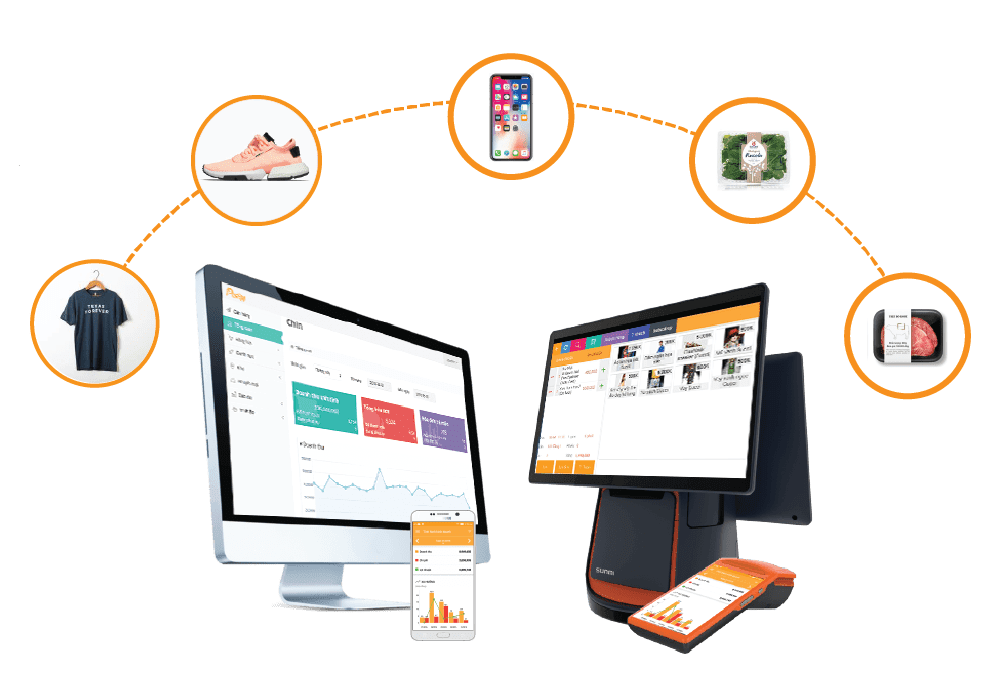
The inventory management module of a Point of Sale system needs to provide store-level visibility and accountability at all times. The system should deliver intelligent display of inventory data, SKUs and SKU information regarding movements in transactions — such as goods coming in, goods going out, stock currently in the warehouse, and inventory inputs and outputs.
The system also integrates features that allow authorized users to control and adjust stock (increases and decreases) and record the reasons for each adjustment.
Cross-Channel Returns Management
The Point of Sale system provides a module that lets you handle omnichannel returns, supporting refunds and product replacements from any suitable store branch. This lets you manage multiple return transactions, capture the reasons for returns, and record which employee handled the transaction.
Customer Relationship and Experience Management
Do you want information about your potential customers to run more effective campaigns? Many modern POS systems allow you to store customer information and transaction history accurately and manage it with ease.
This makes it easy to see which of the company's products/services customers are interested in, so you can build a strategy for personalizing the customer experience and roll out more advertising campaigns and special offers to build loyalty and retain them.
Employee Management
The Point of Sale system gives you effective employee management features: you can manage employee information, work shifts, the transactions each employee has processed, and easily track productivity in sales activities.
Loyalty Program and Gift Card Management
As modern technology continues to advance, systems for managing loyalty programs and gift cards have emerged, helping you reduce the costs and risks of printing and distributing traditional customer cards.
Now, information about loyalty programs, gift cards, and gift card sales reports can all be managed and tracked easily within a single Point of Sale system.
Components of a Point of Sale System
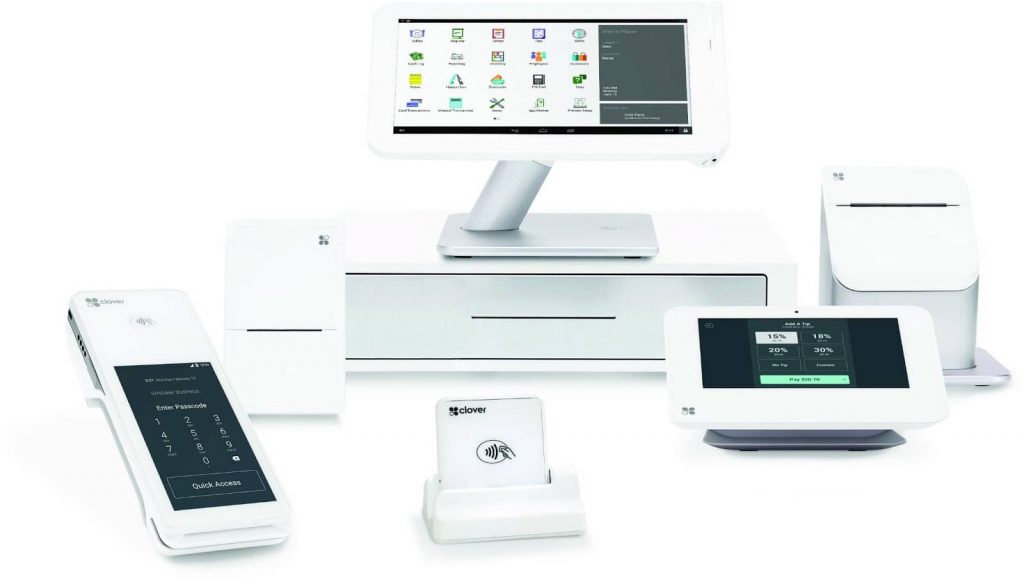
A Point of Sale system consists of two main components: hardware and software. Each component includes the commonly used systems described below.
POS Software Installed on a Computer (On-Premise POS)
POS software installed on a computer, also known as traditional POS, is software that stores data and information in a local database — especially on the computer's hard drive. By purchasing a software license and installing it directly on the computer, you can access it easily whenever you use the computer or carry your own laptop with you.
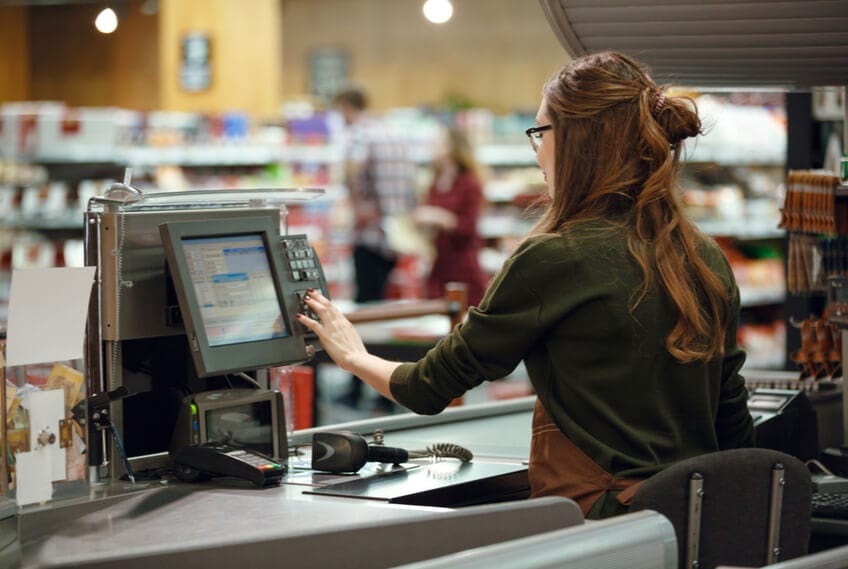
Traditional POS software has three main advantages:
-
Diverse features and functions: the software is constantly updated with new features that provide useful solutions for businesses, including inventory management, data storage, accounting and security
-
Expanded display setup: although bulky and difficult to transport, its stable and easy-to-use touchscreen saves employees considerable time in learning and operating the system. With this advantage, sales POS terminals suit retail stores, coffee shops, fast-food chains and upscale restaurants
-
Deployment: because the POS system operates within the company's internal network, it comes with features such as backup servers, backup drives, and dedicated data servers with enormous storage capacity
Alongside these advantages, the POS system also has some notable drawbacks:
-
Cost: deploying a Point of Sale system can be expensive, as you may need to purchase additional compatible equipment. This solution is therefore not suitable for small businesses on tight budgets
-
Not optimized for mobile devices: you cannot access the system remotely from a mobile device, which is inconvenient because an employee must always be stationed at the terminal to complete a transaction
Web-Based POS Software (web-based POS or cloud-based POS)
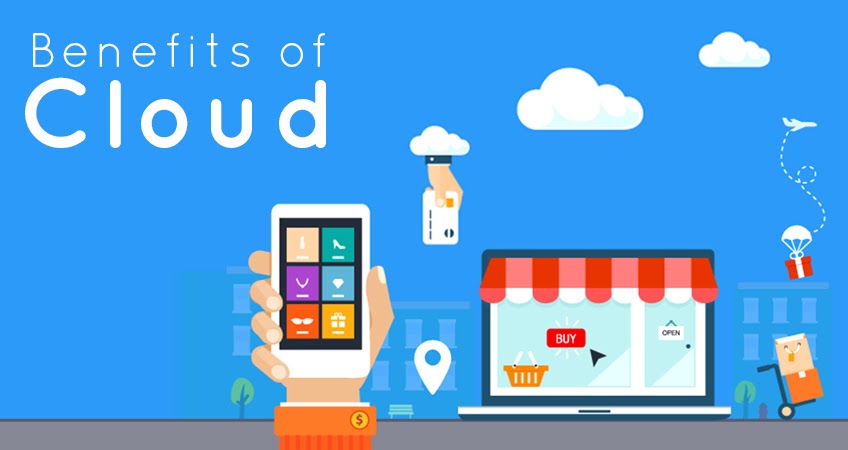
This is an advanced, modern software system that has flourished in recent years. It stores data and information on a remote online server and lets you access your data at any time, from anywhere. The standout characteristics of web-based POS software are reflected in the following advantages:
-
Accuracy: with automatic updating and storage features, the software eliminates the risks that can come with traditional manual data entry. You can now manage inventory and sales data more accurately
-
Remote access: the standout advantage of cloud POS software is that it lets you access the system and your data remotely, without having to be at the store
-
Subscription-based licensing: you can purchase this POS software from the vendor on a subscription basis. Monthly upgrades include service packages with features, system updates and data backups. This software suits small, low-budget businesses, though it is not right for every type of business
-
Data security: because the software automatically backs up data to the cloud, you don't need to worry about losing your data
-
Scalability: the monthly subscription model gives you the flexibility to increase or decrease the number of devices your business uses, saving costs
Alongside these great advantages, cloud POS software has the following drawbacks:
-
Limited customization: because data is stored in the cloud, customization is difficult. Most large businesses prefer easy customization to preserve their brand identity
-
Requires an Internet connection: to access the system and your data, you absolutely need a stable, continuous Internet connection so that access is not interrupted
-
Limited customer support: cloud POS software usually does not offer the breadth of customer support features that traditional POS software does — which is why many restaurants and supermarkets still favor the traditional kind
Point of Sale Hardware Devices
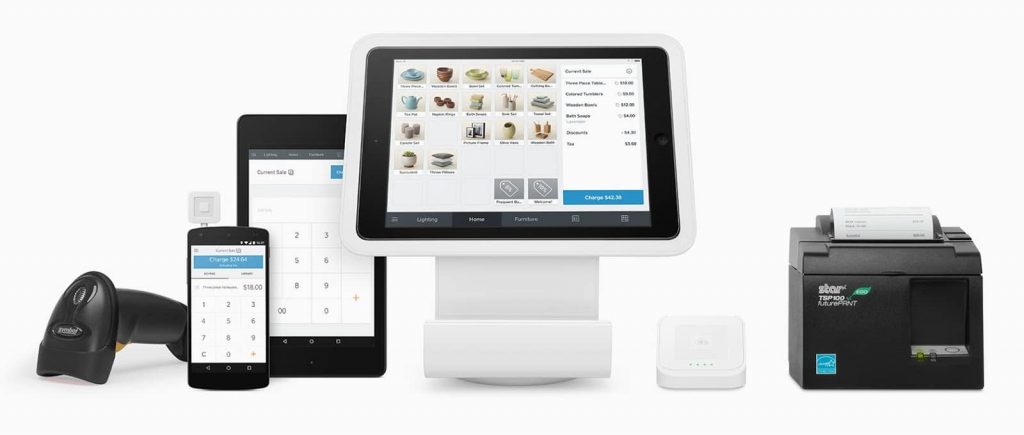
POS hardware includes the following basic components:
-
Touchscreen display: shows the product database and allows sales tracking, sales reporting and employee monitoring
-
Barcode scanner: automates product checkout by reading barcodes to capture product information; it can be integrated with the inventory management system to automatically adjust stock with each scan
-
Receipt printer: prints receipts automatically based on transaction information
-
Cash drawer: stores cash and credit cards daily, and opens automatically when a payment is processed
-
Network devices: connect the POS system to your cloud-based network or internal network
-
Payment card reader: supports multiple card types by swiping, tapping or using an EMV chip to receive payment through the bank
-
Label, sticker and barcode printer: automatically prints labels and stickers when needed, such as for deliveries
Benefits of Using Point of Sale Devices
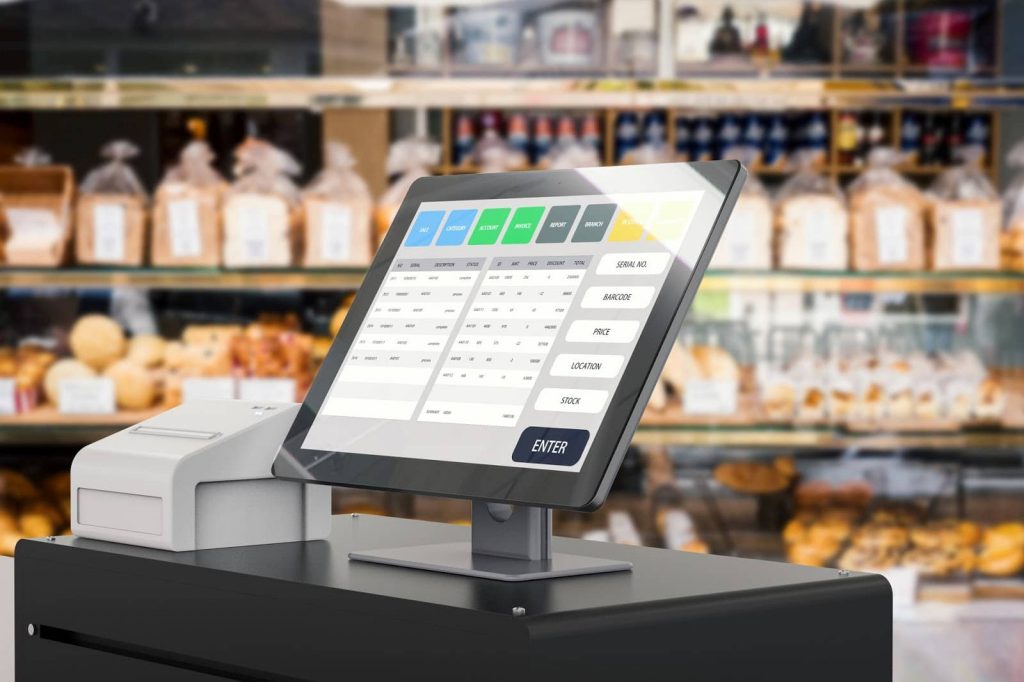
Depending on their scale, circumstances and business objectives, companies will choose the types of POS devices with the functions that suit them.
Card Payment POS Terminals
In today's technology-driven era, beyond supporting cash payments, many stores have also equipped themselves with POS terminals that make payments more diverse, faster and more convenient. So what is POS payment?
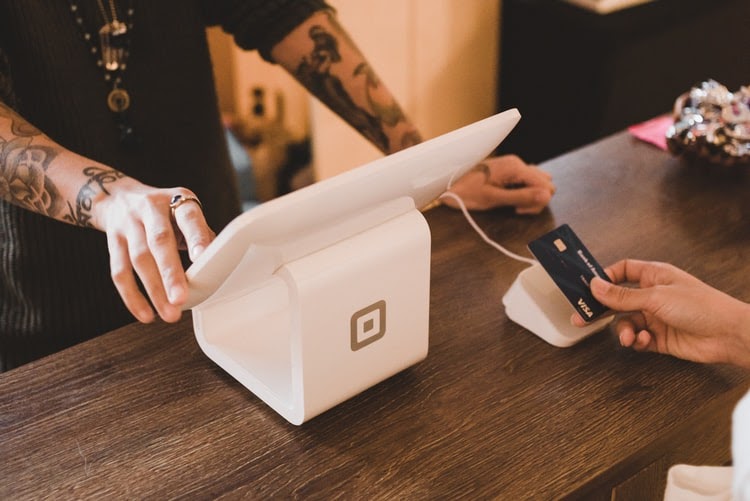
POS payment means the sales terminal allows payment with a wide variety of bank cards through a simple swipe on the card reader. To use a card payment POS terminal, you need to apply for one directly from a bank. When a customer swipes their card, the amount on the invoice is transferred directly into the business owner's account. In general, card payment POS terminals offer the following benefits:
-
Encourages and supports customers with diverse payment methods
-
Better cash handling, reducing the risk of counterfeit or damaged bills
-
Earns interest income from funds deposited into the business's bank account
-
Easy revenue management
-
Builds a strong brand image by keeping pace with modern technology
-
Fast maintenance and support services provided by the bank
-
Shorter payment and transaction processing times
There are 3 payment methods via card payment POS terminals:
-
Payment by direct card swipe: the most common method today. After the card is swiped, the employee asks the customer to confirm their PIN, and the corresponding amount is then transferred from the customer's account to the business's account.
-
Payment by inserting an EMV chip card: this method is safer than a regular card swipe and does not require entering a PIN when requesting payment. However, this card technology is only available on international cards such as Visa/MasterCard/JCB, and currently only 7 banks have issued domestic chip cards: BIDV, Agribank, Sacombank, VietinBank, TPBank, ABBANK and Vietcombank.
-
Payment by mobile phone: this method has been flourishing in recent years. Using e-wallets such as Momo, Samsung Pay and Apple Pay, you can pay easily simply by holding your mobile device near the POS terminal and entering your PIN.
Sales Management POS Terminals

Sales POS terminals are usually seen at checkout counters in shops, supermarkets, restaurants and the like, supporting sales, printing invoices and totaling payments for customers. Many sales POS terminals also come with built-in sales management software that provides functions such as revenue management, warehouse management and customer transactions.
There are 2 types of POS terminals in common use today:
-
Touchscreen POS terminals: this is the type of POS you will see in virtually any shop. With a touchscreen display and flexible expandability, employees can easily look up product information, print invoices, process payments and track transaction history.
-
Handheld POS terminals: with a compact design and an easy-to-use touchscreen, handheld POS terminals let users print receipts, take bank card payments and — even better — integrate modern sales management software, making them a viable replacement for bulky computers and printers.
Conclusion: Understanding a Point of Sale system and constantly keeping your knowledge of it up to date is essential for anyone who wants to reduce costs, shorten transaction times and better personalize the customer experience. Keeping up with the technology era is important, but it does not mean changing indiscriminately. Through this article, SimERP hopes you will be able to choose the POS device and software that fit your company's situation, scale and business goals.
Related articles
Bài viết liên quan

25 tháng 10, 2026 · 3 phut doc
2024年网页设计趋势预测如何? | Wotech Electronics
关于 2024 年网页设计趋势——步入 2024 年,年初正是我们为新事物预留时间的时刻。这也非常适合设计师群体唤醒我们内心的"艺术之魂"。闲话不多说,快来和 Markdao 一起浏览 2024 年的 UX/UI 设计趋势吧,说不定您就能为自己接下来的网页设计项目"迸发"出一个绝妙的点子呢!

25 tháng 10, 2026 · 1 phut doc
什么是网站(Website)?网站的详细定义及其带来的商业价值
什么是网站(https://www.markdao.com.vn/blog/website-la-gi)——这个问题或许已经无需定义,因为在如今这个信息时代,网站对每一家企业而言都是不可或缺的组成部分。正是网站帮助用户更近距离地接触企业所提供的产品和服务,从而提升经营效益。此外,要在当今竞争如此激烈的环境中求发展,网站是一个重要因素,它将带你走向品牌与销量上的双重成功。

25 tháng 10, 2026 · 1 phut doc
什么是SEO标准网站?一场"打赢"Google SEO标准的战役 | Wotech Electronics
99%的用户在购买前会先搜索信息,73%的用户只会访问排名前10的网站,并认定它们是值得信赖的品牌……在数字营销爆发的时代,这些数字有力地印证了SEO标准网站的重要性。然而,许多人对什么是SEO标准网站(https://www.markdao.com.vn/blog/huong-dan-toi-uu-seo-website-chuan-seo-on-page)仍然相当模糊,并未真正理解。达到SE…