
Which TOP 21 WordPress Plugins Does Your Website Need? WordPress Plugin Categories | Wotech Electronics
Vũ Khôi
Tác giả tại Wotech Electronics Blog
Which TOP 21 WordPress Plugins Does Your Website Need? WordPress Plugin Categories
Vũ Khôi
Author at Wotech Electronics Blog
What are the best WordPress SEO plugins that experts use today? Is this a question you keep asking without getting a proper answer? Having the optimal set of plugins for your WordPress website will improve the user experience and effectively increase your visitor count.
1. The Best SEO Plugins for WordPress to Enhance the Website Experience
1. Optimize your website with WordPress SEO by Yoast

WordPress SEO is a special plugin that lets you optimize your entire site. With this toolkit you can set titles and descriptions for posts, run page analysis, display data graphs, and publish XML sitemaps... What makes this plugin rated the best WordPress SEO plugin is how user-friendly it is, both to install and to use.
2. W3 Total Cache speeds up your site

Page speed is a hugely important factor in determining rankings on search engines. With this plugin for your WordPress website you can boost your site's overall performance and speed through browser caching and page compression for faster downloads.
3. Build leads with OptinMonster

If lead generation is your top concern, this is your best WordPress SEO plugin. You can use OptinMonster to create forms and opt-in pop-ups on your site, converting your users into loyal subscribers.
4. Add the social channels you need with Floating Social Bar

Most social media plugins currently used on WordPress websites are saturated, bundled with outdated networks and irrelevant scripts that slow our sites down. With Floating Social Bar you can breathe a little easier: you only add the social channels you actually need, and it's performance-optimized so it won't weigh your website down.
5. Disqus — the best SEO plugin for WordPress sites to manage comments

The default WordPress commenting system only works well while your site doesn't get much traffic. Once your website reaches thousands of visitors, Disqus is an effective companion. The plugin's biggest plus is that it's third-party hosted, so it doesn't affect server performance — it not only improves page speed but also keeps spam under control.
6. Strengthen website security with Sucuri
Sucuri is a WordPress website plugin that reinforces security, especially in today's digital information age with its high risk of hacking. You'll receive instant alerts, get a scanner that detects security breaches on your site, and benefit from a malware removal service.
7. Fast response times through Soliloquy

No plugin responds as beautifully as Soliloquy. Most plugins of this type risk slowing your site down or hurting your SEO rankings, but this tool's performance is the complete opposite. Soliloquy loads WordPress sliders quickly, and there's even a free one-month trial so you can test it out.
8. Display posts more intelligently with Compact Archives

WordPress's default design presents a long list of activity on your site. With the Compact Archives plugin, monthly posts are organized intelligently, compactly, and in a way that's easier on the eyes than the default format.
2. WordPress Plugins for Effective Content Management
1. Edit Flow — the best support for editors
Edit Flow is a useful tool for editors, helping you manage editorial functions effectively. With this tool you can manage the editorial calendar, post authors, task assignments, and editorial comments... You can also schedule content for publication in advance.
2. Back up content quickly with BackupBuddy

BackupBuddy is a best-in-class WordPress plugin if you need to move and back up content. Your website will develop an automatic backup routine, so you no longer worry about losing data — a copy always exists in remote storage.
3. Term Management Tools customizes and manages categories
Tags, categories, and custom taxonomies (which typically have default items such as category, tag, link category, and post format) play an important role in determining how content is organized on your WordPress website. Yet many newcomers don't really understand the difference between tags and categories or how to use them in an SEO-friendly way — that's why Term Management Tools is such a helpful companion. With it, you can merge and bulk-edit tags, categories, and taxonomies.
4. EnviraGallery — the best SEO plugin for WordPress sites that use lots of images

This is the WordPress plugin to use if your site involves photography or publishes a lot of images. Thanks to EnviraGallery you can build image galleries with powerful effects that are easy to navigate. Loading is fast, too, and it displays beautifully on all of today's devices.
5. TablePress — the tool for creating tables on a WordPress website
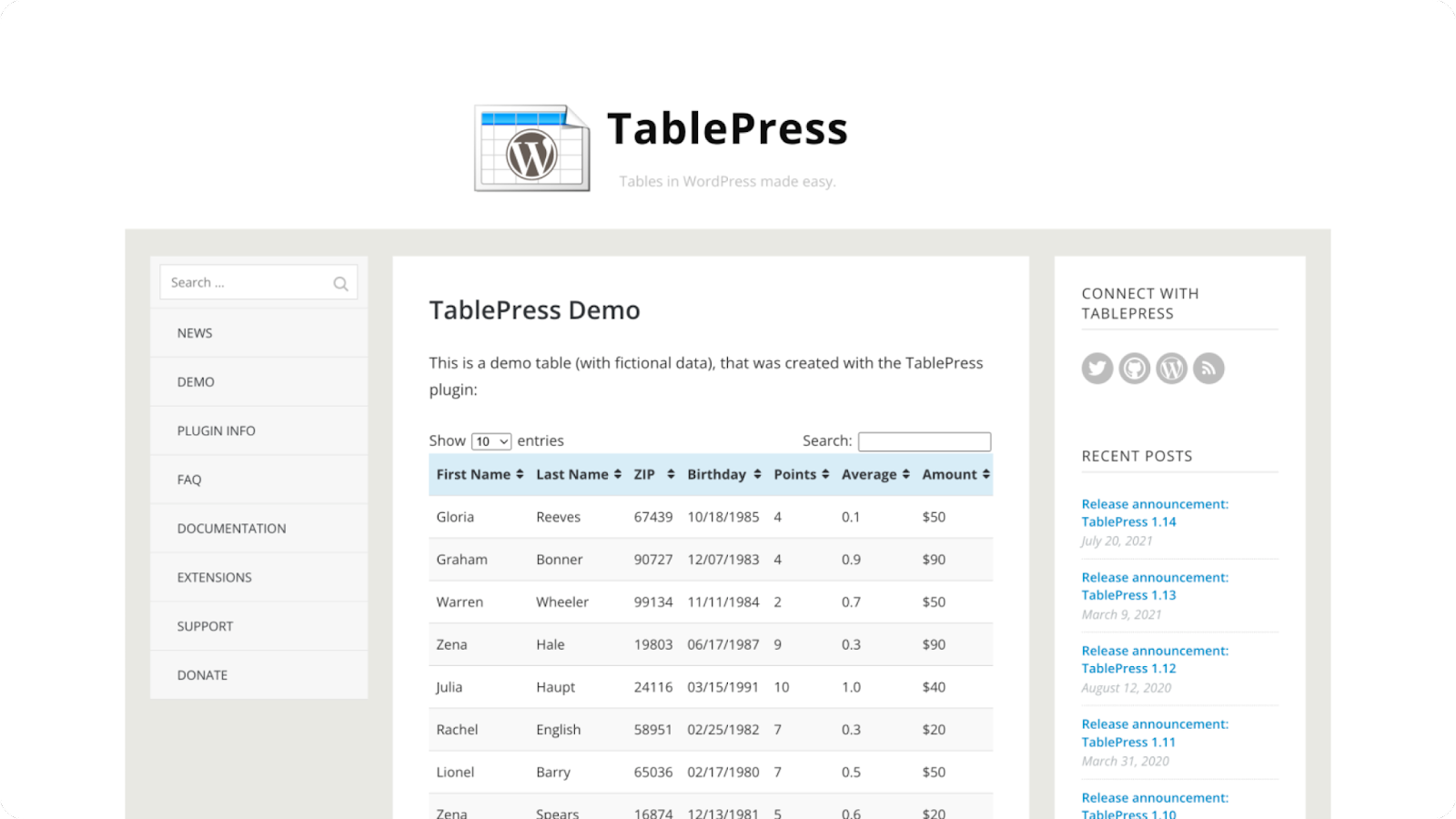
WordPress posts lack table-building functionality, so TablePress is a popular WordPress plugin for designing tables directly on your site. You can then insert them into pages, posts, and widgets — or even export the table data if needed.
6. Show and hide widgets per page with Display Widgets
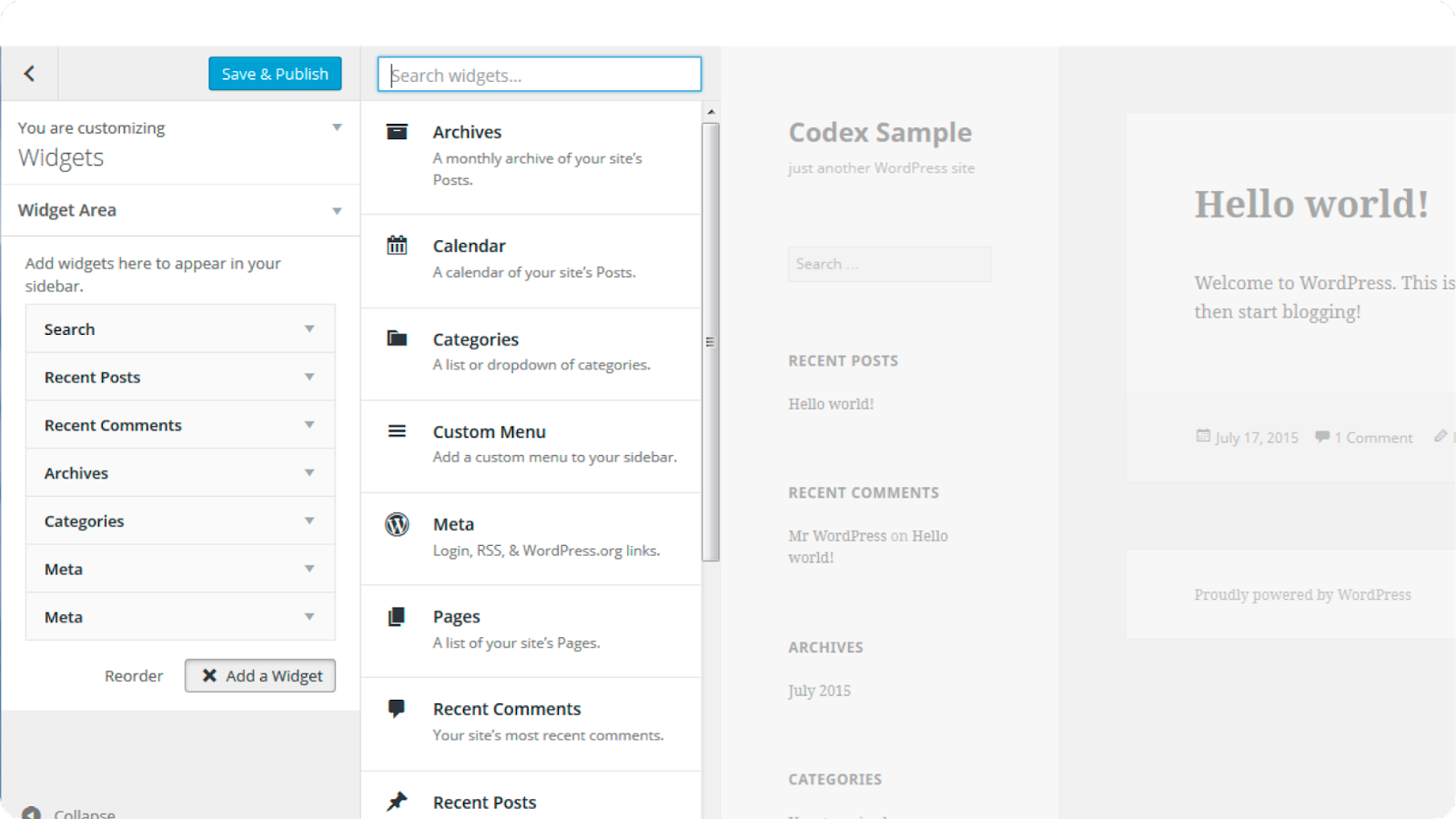
There are times when you want to show or hide a widget on specific pages, and Display Widgets helps you do exactly that. With this plugin you can show or hide widgets on selected posts and pages. You can also choose to display widgets only for logged-in users and turn them off for everyone else.
7. Create forms more easily thanks to Gravity Forms

Gravity Forms is one of the friendliest plugins for beginners. With this tool you can add any online form — from simple to complex — to collect information on your WordPress website and put it to use.
8. Auto-share posts with Revive Old Post

Revive Old Post is a must-have plugin for automating your workflow and saving time on social media. You can automatically share published posts across multiple platforms, promote old posts, or even auto-share previously published content to your social accounts... Revive Old Post also integrates with Google Analytics so users can see the traffic their WordPress website receives from the social media posts the plugin creates.
9. Adblock Notify — a handy tool for running ads on your website

With Adblock Notify you can be alerted when users are blocking ads. Site administrators can replace blocked ads with a custom notification. This plugin is very easy to use and packed with useful features.
10. Access your website from anywhere with WPtouch

You can access your WordPress website from anywhere with WPtouch. This plugin automatically creates a simple (and customizable) mobile theme for visitors on mobile devices, ensuring your SEO rankings don't drop for lack of a mobile-friendly website.
11. Limit WordPress login attempts with Login Lockdown

Most hackers try to break into your WordPress admin area by guessing passwords. To make sure they don't get enough time to do so, you should install Login Lockdown. The plugin logs the IP addresses and timestamps of failed login attempts; if it detects an IP that has failed more than the allowed number of tries, all requests from that IP are disabled for a period (or blocked entirely), at the administrator's discretion.
12. AdSanity helps manage ads

This plugin is for anyone planning to run ads on their site. You can upload ads with AdSanity the way you'd publish normal content, with support for shortcodes and widgets to display them. You can also place ads inside posts or sidebars; run ads for a specific period; and view statistics on clicks and impressions...
13. Manage affiliate links on your site with ThirstyAffiliates

ThirstyAffiliates helps users manage affiliate links in WordPress. The plugin lets you store your links, organize them into categories, and manage them more effectively.
14. WP Mail SMTP — the leading email management plugin for WordPress

WP Mail SMTP makes sending email through WordPress easier once it's connected to SMTP, Gmail, Outlook, SendGrid, Mailgun... Sometimes emails won't send because of your WordPress hosting provider. In that case, with this toolkit you can send email via an SMTP server instead of the PHP mail function, or use Gmail's SMTP server to send your email.
For these WordPress plugins to work effectively, it's especially important that you regularly update to the latest versions and keep them maintained. We hope the detailed information above has helped you identify the toolsets your WordPress website needs.
Related Articles
Bài viết liên quan

25 tháng 10, 2026 · 3 phut doc
2024年网页设计趋势预测如何? | Wotech Electronics
关于 2024 年网页设计趋势——步入 2024 年,年初正是我们为新事物预留时间的时刻。这也非常适合设计师群体唤醒我们内心的"艺术之魂"。闲话不多说,快来和 Markdao 一起浏览 2024 年的 UX/UI 设计趋势吧,说不定您就能为自己接下来的网页设计项目"迸发"出一个绝妙的点子呢!

25 tháng 10, 2026 · 1 phut doc
什么是网站(Website)?网站的详细定义及其带来的商业价值
什么是网站(https://www.markdao.com.vn/blog/website-la-gi)——这个问题或许已经无需定义,因为在如今这个信息时代,网站对每一家企业而言都是不可或缺的组成部分。正是网站帮助用户更近距离地接触企业所提供的产品和服务,从而提升经营效益。此外,要在当今竞争如此激烈的环境中求发展,网站是一个重要因素,它将带你走向品牌与销量上的双重成功。

25 tháng 10, 2026 · 1 phut doc
什么是SEO标准网站?一场"打赢"Google SEO标准的战役 | Wotech Electronics
99%的用户在购买前会先搜索信息,73%的用户只会访问排名前10的网站,并认定它们是值得信赖的品牌……在数字营销爆发的时代,这些数字有力地印证了SEO标准网站的重要性。然而,许多人对什么是SEO标准网站(https://www.markdao.com.vn/blog/huong-dan-toi-uu-seo-website-chuan-seo-on-page)仍然相当模糊,并未真正理解。达到SE…