
IT Support Issues You Should Know About? | Wotech Electronics
Vũ Khôi
Tác giả tại Wotech Electronics Blog
IT Support Issues You Should Know About?
Vũ Khôi
Author at Wotech Electronics Blog
IT Support issues can be highly varied and often require specialized expertise to resolve. Below are some of the common problems that IT Support teams must handle:
1. Hardware Failures
-
Computer/laptop faults: A device that won't boot, a damaged screen, or problems with the motherboard, RAM, hard drive, or power supply.
-
Peripheral problems: A mouse, keyboard, printer, or other device that doesn't work or has an unstable connection.
-
Network failures: Faulty network cards, a router or switch that isn't working, lost network connections, or slow networks.
2. Software Issues
-
Software installation: Problems installing or configuring software, including applications, operating systems, or security software.
-
Software errors: Programs that won't open, freeze, are incompatible with the operating system, or malfunction in use.
-
Update problems: Errors when updating software or the operating system, such as Windows Update failing or applications breaking after an update.
3. Security Issues
-
Viruses and malware: Detecting and removing viruses, malicious software, spyware, and trojans.
-
Network security: Managing firewalls, VPNs, and other security tools to block attacks from outside or within.
-
Security vulnerabilities: Assessing and patching vulnerabilities in software or security systems.
4. Network and Connectivity Failures
-
Loss of network connection: Resolving problems with lost Wi-Fi or Ethernet connections, or with internal network services.
-
Slow networks: Finding the cause of network congestion, such as low bandwidth, misconfigured network equipment, or configuration problems.
-
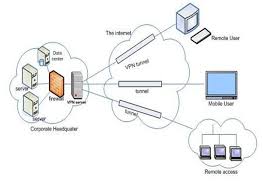
VPN and remote access: Issues when connecting to the company network remotely, via VPN or other remote-access services.
5. System Management
-
Server management and maintenance: Monitoring the operation of servers, including mail servers, web servers, and database servers. Ensuring servers run stably, are not overloaded, and have sufficient resources.
-
Data backup and recovery: Making sure backups are performed correctly and data can be restored when an incident occurs.
-
Resource management: Managing system resources such as disk space, RAM, CPU, and other hardware.
6. Performance and Optimization Issues
-
Slow computers/laptops: Fixing the issues that make devices run slowly, such as too many background applications, insufficient disk space, or aging hardware.
-
System optimization: Keeping the system running smoothly by optimizing software and hardware configurations.
7. User and Access Management
-
User account management: Creating, modifying, or deleting user accounts in the system, and setting access permissions to company resources (email, file servers, applications).
-
Password recovery: Helping users reset or change passwords when necessary.
-
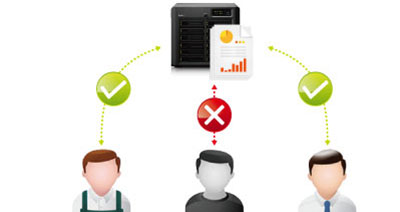
Access security policies: Ensuring that only authorized users can access important data and resources.
8. Business Application Issues
-
Applications that fail or stop working: Troubleshooting the specialized software or applications the organization uses, such as accounting software, sales management tools, or project management software.
-
Application configuration and optimization: Making sure applications are configured correctly and run efficiently in the company's network environment.
9. Mobile Device Management
-
Mobile device issues: Configuring and supporting mobile phones, tablets, and other mobile devices in the business environment.
-
Mobile device management and security: Ensuring mobile devices are secured, protected against data loss, and compliant with the company's security requirements.
10. User Support and Training
-
User training: Teaching users how to work effectively with tools and systems and avoid common mistakes.
-
Continuous technical support: Providing help whenever users run into new problems and assisting them through difficult situations.
Conclusion
IT support issues span both simple and complex technical problems — from hardware and software to network security, system management, and applications. The job of an IT support specialist demands fast and effective problem-solving skills, along with constant familiarity with new technologies and security issues.
WOTECH Electronics provides IT Support services for organizations.
Related Articles
Bài viết liên quan

25 tháng 10, 2026 · 3 phut doc
2024年网页设计趋势预测如何? | Wotech Electronics
关于 2024 年网页设计趋势——步入 2024 年,年初正是我们为新事物预留时间的时刻。这也非常适合设计师群体唤醒我们内心的"艺术之魂"。闲话不多说,快来和 Markdao 一起浏览 2024 年的 UX/UI 设计趋势吧,说不定您就能为自己接下来的网页设计项目"迸发"出一个绝妙的点子呢!

25 tháng 10, 2026 · 1 phut doc
什么是网站(Website)?网站的详细定义及其带来的商业价值
什么是网站(https://www.markdao.com.vn/blog/website-la-gi)——这个问题或许已经无需定义,因为在如今这个信息时代,网站对每一家企业而言都是不可或缺的组成部分。正是网站帮助用户更近距离地接触企业所提供的产品和服务,从而提升经营效益。此外,要在当今竞争如此激烈的环境中求发展,网站是一个重要因素,它将带你走向品牌与销量上的双重成功。

25 tháng 10, 2026 · 1 phut doc
什么是SEO标准网站?一场"打赢"Google SEO标准的战役 | Wotech Electronics
99%的用户在购买前会先搜索信息,73%的用户只会访问排名前10的网站,并认定它们是值得信赖的品牌……在数字营销爆发的时代,这些数字有力地印证了SEO标准网站的重要性。然而,许多人对什么是SEO标准网站(https://www.markdao.com.vn/blog/huong-dan-toi-uu-seo-website-chuan-seo-on-page)仍然相当模糊,并未真正理解。达到SE…