
Standard Image Sizes for Websites: The \"Golden\" Numbers in Web Design | Wotech Electronics
Vũ Khôi
Tác giả tại Wotech Electronics Blog
Standard Image Sizes for Websites: The "Golden" Numbers in Web Design
Vũ Khôi
Author at Wotech Electronics Blog
A website and Facebook fanpage are inseparable tools for a business running a digital marketing campaign. Everyone wants to build a professional, attractive website. And to do that, you cannot overlook the images on the site. What are the standard image sizes for websites? Which "golden" numbers should you watch when designing a website? In this article, Markdao will reveal the standard website image sizes for beginners.
The standard website image sizes every marketer must memorize
A professional, accurate website is the goal of every designer when designing a site. To achieve that, the website must fully meet the criteria Google lays out to optimize your site. One of Google's requirements is image size. Accordingly, before uploading an image to the website, we must ensure our image meets the standard. Setting aside whether the image fits, looks good or bad, or is blurry or sharp, having the correct dimensions is the first factor (because Google cannot read images, only their dimensions and alt text; good image quality is for improving user experience).
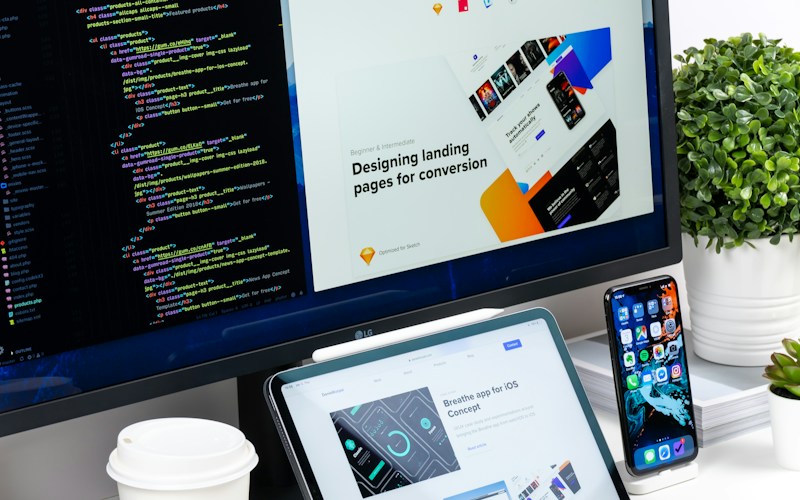
If you have changed the size parameters in your system configuration, edit image sizes to that standard before uploading. If you haven't changed them, here are the parameters of the standard website image sizes:
-
Homepage slider image size: website slider image: 1360 x 540 pixels
-
In-article image size: illustration image: 300 x 188 pixels
-
Detail image size: 800 x 500 pixels
-
Product image size: illustration images at 300 x 400 pixels, detail images twice as large at 600 x 800 pixels
Overall, the standard website image sizes above can be changed as you like, but shouldn't deviate too much from the original parameters, because they will go off-standard and the images won't match Google's specifications.
When getting into website design, you absolutely must keep these golden standards in mind, because they help Google rate your website highly, which in turn brings results for your SEO activities. Whether the user experience on the web is good depends in part on these image sizes.
Are Facebook image sizes the same as the standard website image sizes?
Like standard website image sizes, Facebook matters a great deal — even more, because it directly affects the effectiveness of advertising campaigns. Like website design, properly sized, beautiful images make a business's fanpage posts more attractive and engaging, and draw more interactions. Below are the image size rules for posting on Facebook in 2019 that you need to know.
-
Website link image size on Facebook: When you share your website link on Facebook, an image comes with the link, called a thumbnail. The image displays fully and at its best when your website's thumbnail is proportional to 1200 x 630 pixels. The minimum recommended dimensions you need to design are 600 x 315 pixels, with a maximum file size of 8 MB.
-
For images accompanying a regular post, the size should be proportional to 1200 x 630, and the minimum recommended size is 600 x 315 pixels. Markdao Vietnam usually designs Facebook post images as vertical rectangles or squares to fit more mobile devices.
-
Facebook profile picture size: for the profile picture, you only need to make one image of any size, as long as it is square. Recommended size: 300 x 300 pixels, and the size for the best-looking image: 2048 x 2048 pixels.
-
Personal profile cover photo size: on desktop the cover photo should be 851 x 315 pixels, on smartphone 640 x 360 pixels.
-
Standard fanpage cover image size: on desktop the cover image should be 820 x 312 pixels, on smartphone 820 x 462 pixels. Since we cannot upload separate cover images for each device at different sizes, designers should note to design in spare "safe zones" so the image isn't awkwardly cropped on any device.

Tools for adjusting to the standard website image sizes
You don't know how to scale or edit images to exactly match the standard website image sizes. Here are some suggestions for you:
- Adobe Photoshop: the market-leading software for bitmap image editing, considered the standard for image-editing fields.
In addition, you can use the following online image editing tools:
- Pixlr: a cloud-based suite of image tools and utilities, including several photo editors, a screen-capture browser extension, and a photo-sharing service.
- Fotor: a completely free tool that supports adjusting brightness, contrast, white balance, and color saturation of photos. It also lets you highlight or blur images, add details, crop, drag, and rotate images.

- Canva: uses the Vietnamese language, drag-and-drop format, and provides access to over a million images, graphics, and fonts.

Revealed: adjusting the standard website image sizes with Paint in Windows
Windows comes with Paint built in — a tool that makes editing the standard website image sizes fairly easy for non-professionals.
Using Paint to resize:
Step 1: Open the image with Paint
Step 2: Choose Resize
Step 3: Paint gives you 2 options for adjusting size — by percentage and by pixel. Usually we choose pixels to make it easy to adjust the exact numbers.
Note: Remember to tick the "Maintain aspect ratio" box so that when you adjust the width, the height is adjusted along with it, without distorting the image.
Step 4: Enter the specific size parameters.
Step 4: Click OK, then click Save. After editing the size, the image's file size will go down.
Editing images to the standard website sizes on the WordPress platform — why not?
For websites built on the WordPress platform, it's easy to edit images to the standard website image sizes. Accurate sizes not only optimize the site, but the right file size also makes the web lighter and faster to load.
Step 1: Upload the image to the website and select Add Media
Step 2: Upload the file
Step 3: Before inserting the image into the article, select:
-
Link to: media file
-
Size: medium
Step 4: Click "Insert into post"
There are many different solutions for reducing image size, but you must grasp the basic theory of how reducing image file size actually works. In March 2024 we updated a very detailed article on this topic — it's quite academic, but if you can, take the time to read it with the goal of understanding how it works and how to compress more, or keep images as beautiful as possible for your needs at the lowest possible file size.
We hope the information Markdao Vietnam has provided above will help your web design "campaign" as well as your Facebook banner design strategy. If you still have questions about other website factors, or about a social media strategy suited to your business, don't hesitate to contact us. Markdao Vietnam provides comprehensive digital solutions from SEO, SEM, and Social Media Planning to website design.
Phone: +84 28 7109 9090
Email: [email protected]
Related Articles
Bài viết liên quan

25 tháng 10, 2026 · 3 phut doc
2024年网页设计趋势预测如何? | Wotech Electronics
关于 2024 年网页设计趋势——步入 2024 年,年初正是我们为新事物预留时间的时刻。这也非常适合设计师群体唤醒我们内心的"艺术之魂"。闲话不多说,快来和 Markdao 一起浏览 2024 年的 UX/UI 设计趋势吧,说不定您就能为自己接下来的网页设计项目"迸发"出一个绝妙的点子呢!

25 tháng 10, 2026 · 1 phut doc
什么是网站(Website)?网站的详细定义及其带来的商业价值
什么是网站(https://www.markdao.com.vn/blog/website-la-gi)——这个问题或许已经无需定义,因为在如今这个信息时代,网站对每一家企业而言都是不可或缺的组成部分。正是网站帮助用户更近距离地接触企业所提供的产品和服务,从而提升经营效益。此外,要在当今竞争如此激烈的环境中求发展,网站是一个重要因素,它将带你走向品牌与销量上的双重成功。

25 tháng 10, 2026 · 1 phut doc
什么是SEO标准网站?一场"打赢"Google SEO标准的战役 | Wotech Electronics
99%的用户在购买前会先搜索信息,73%的用户只会访问排名前10的网站,并认定它们是值得信赖的品牌……在数字营销爆发的时代,这些数字有力地印证了SEO标准网站的重要性。然而,许多人对什么是SEO标准网站(https://www.markdao.com.vn/blog/huong-dan-toi-uu-seo-website-chuan-seo-on-page)仍然相当模糊,并未真正理解。达到SE…