Perfect Facebook Image Sizes to Maximize Your Online Advertising Performance
Vũ Khôi
Tác giả tại Wotech Electronics Blog
Perfect Facebook Image Sizes to Maximize Your Online Advertising Performance
Vũ Khôi
Author at Wotech Electronics Blog
Facebook image sizes for running ads on social media are essential information that every designer needs to know in order to create properly sized visuals. Only by knowing Facebook image sizes can the design team work in sync with marketers on an effective social media planning campaign.
Why do ad visuals need to be designed to the correct Facebook image sizes?
In the early days, Facebook consisted almost entirely of text (posts) and links — you would rarely come across a small image, and nearly all of them were profile pictures. That is why there was no real need to know the exact Facebook image sizes, since the platform already had a built-in cropping tool for profile photos. Today, as this social network has grown enormously, marketing on Facebook with images has become an inseparable and vital component. In particular, images are increasingly dominant as an extremely useful tool in social media planning. Images on Facebook attract the most attention on the vast majority of personal pages. Even as image-focused apps like Instagram grow more and more popular, imagery on Facebook has never cooled down.
With their variety of formats and forms of expression — from photos and videos to animated GIFs — these tangible media are the favorite choice and focal point of many brands' digital marketing strategies. A picture is worth a thousand words. Indeed, with just one outstanding image that creates a special effect among the crowd, a brand's chances of success become almost very high.
And of course, by setting new standards for Facebook image sizes, Facebook wants to ensure that you can effectively communicate your thoughts and experiences by posting high-quality images on the platform. Not only does this help build great experiences for the community, Facebook also reaps the best marketing and social media results for itself.
Facebook image sizes matter greatly when doing social media planning
The demand for Facebook advertising keeps growing, and creative marketers constantly want to refresh their presentation and design to persuade as many customers as possible. So we all ask the same question: What exactly should our Facebook image sizes be to fit the News Feed, the timeline, or Facebook's interface in general?
Among the factors that contribute to great visuals for social media channels, size and shape (including length, width, and orientation) have the greatest influence on how an image will appear. In fact, most images on Facebook (from profile pictures to ad creatives) need to follow the recommended Facebook image sizes if you truly want them to stand out. But keeping up with these standard dimensions can be quite difficult, because they change all the time. And nothing is worse than creating a fantastic image only to discover, after posting it to Facebook, that the size was wrong. Moreover, many people prefer using Facebook on their phones rather than on computers, so you also need to factor this in when designing visuals for your marketing strategies.
As of 2019, Facebook gives us four options when posting images: circular, square, vertical rectangle, and horizontal rectangle. No matter which of these formats you upload, Facebook will automatically crop or compress your image to fit its standard frames.
The best Facebook image sizes for profile pictures
When you visit any personal page, the circular photo next to the username is that page's profile picture. For a business, the profile picture does more than just decorate the fanpage — it also serves brand identification purposes, because this image follows you everywhere, from posts to the comments you publish. So this is arguably the introduction that deserves the most care and investment when a business operates on Facebook.
For users accessing Facebook from a desktop or laptop, the profile picture on the old interface is displayed at 168 x 168 pixels. The aspect ratio of the profile picture never changes. In all cases, this ratio is always 1:1, meaning the profile picture on a personal page will always be square (on older interfaces that have not been updated) or circular, per the latest Facebook image size updates.
When someone clicks on your profile picture, Facebook displays it at 850 x 850 pixels. The maximum and minimum accepted Facebook image sizes are 2048 x 2048 and 168 x 168 pixels. However, we recommend using a 761 x 761 pixel frame to ensure image quality. And of course, if you can, 2048 x 2048 is always the best choice, as it guarantees your image is displayed at the highest possible quality.
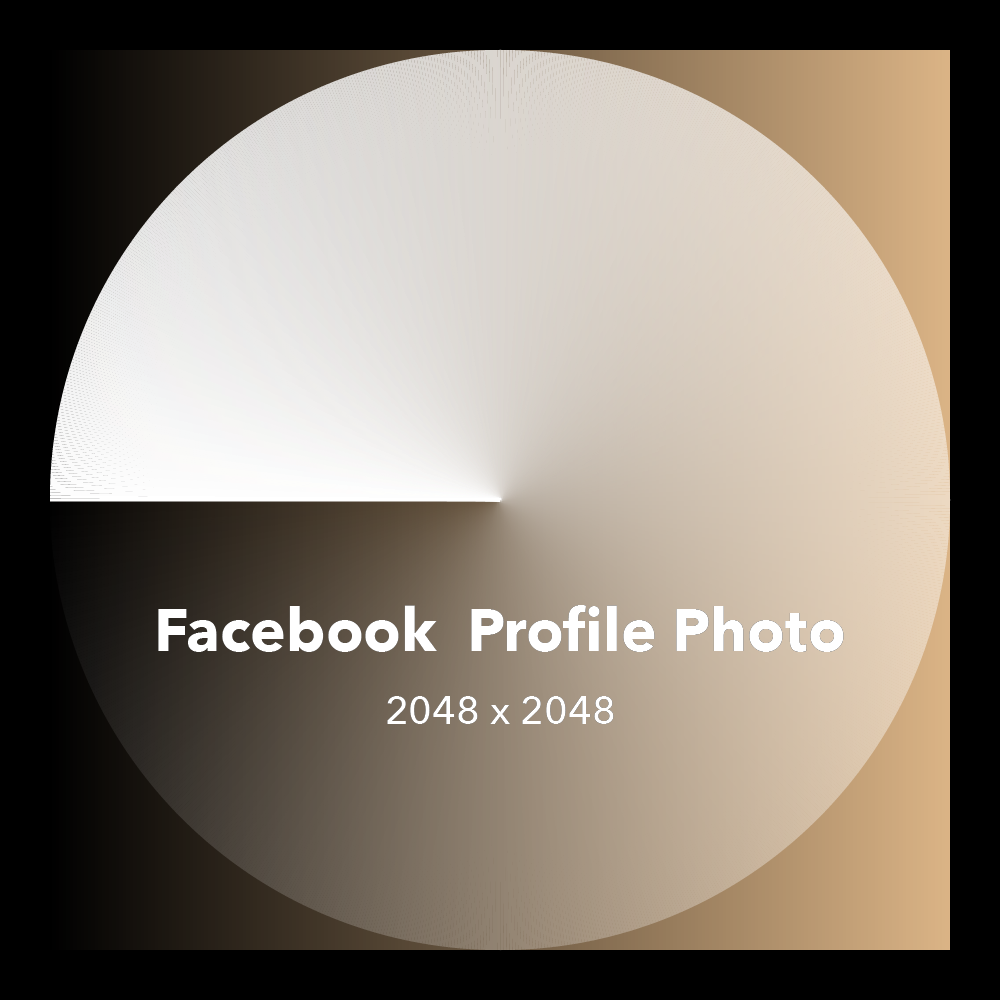
Things differ slightly in the News Feed or notifications: there, these images appear in a circular frame and are automatically compressed to fit 40 x 40 pixels. Keep this in mind when doing social media planning, and avoid designing a profile picture with the logo in the corner unless you want that logo to be cropped out of the profile picture shown in the News Feed. Another tip if you want to use a photo of a person as your profile picture: adjust the angle so the frame covers the whole face, or at least make sure the eyes remain clearly visible even at the smallest sizes — people love connecting with others through the eyes.
Perfect Facebook cover image sizes for online advertising
Sitting at the top of every personal page's timeline, the cover photo is the perfect place to express your personality and highlights. The common ratio for most Facebook cover image sizes is 2.7:1, with dimensions ranging from 851 x 315 pixels up to a maximum of 2037 x 754 pixels.
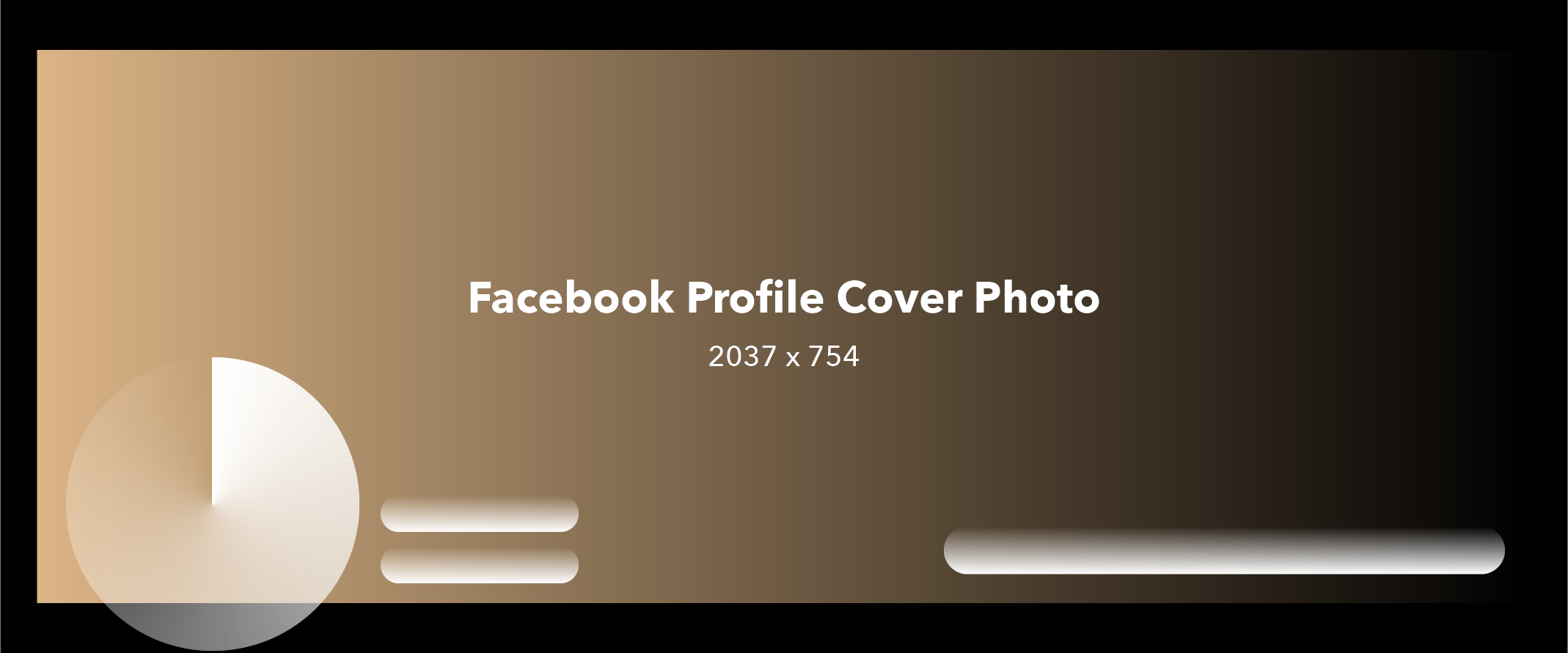
For your own personal page (not a fanpage), the advice is: don't try to turn it into a banner or advertising billboard, even if you are a business owner. Avoid slogans, taglines, calls-to-action, and the like as much as possible.
The purpose of cover photos on fanpages is to serve as the place where businesses run marketing campaigns and introduce their brand and products. Cover photos therefore play an even more important role. The standard Facebook cover image size on a fanpage differs only slightly from the standard ratio for personal pages. The ratio is 2.63:1, with a maximum size of 1985 x 745 pixels and a minimum of 820 x 312 pixels. As with personal pages, a fanpage cover photo does not have to be — and should not be — just an advertising banner. Businesses should use them to express their personality, treating them as a branding opportunity rather than a marketing one. The great thing about these cover photos is that they are no longer obscured in any area, because Facebook redesigned the business page layout with the profile picture placed level with the cover photo on the left. So to optimize your marketing efforts, don't hesitate to create a fanpage instead of a personal page.

Today, most major social media channels such as Facebook and Twitter allow users to control their profile and cover photos with a set of scaling and resizing tools, until the images are perfect. However, remember that Facebook will automatically resize cover photos when necessary to fit the resolution of many different screens.
Are Facebook Stories image sizes limited?
Stories is one of the newer features Facebook borrowed from Instagram, and it is clearly one of the features Facebook will focus on going forward. That gives businesses no reason to pass up a great opportunity for social media planning on Facebook. Stories is considered an ideal feature for publishing ads that use visual elements.
Like Instagram Stories, Facebook Stories display in full screen on mobile devices. The ideal Facebook image size for visuals used in Stories is 1080 x 1920 pixels, or a 9:16 ratio (width x height). When designing images for Stories, pay attention to placing the most important details at the center of the image. Avoid putting critical information at the very top or bottom of the image, because the profile picture and several function buttons (such as react, comment, etc.) sit there by default and may partially cover your content.
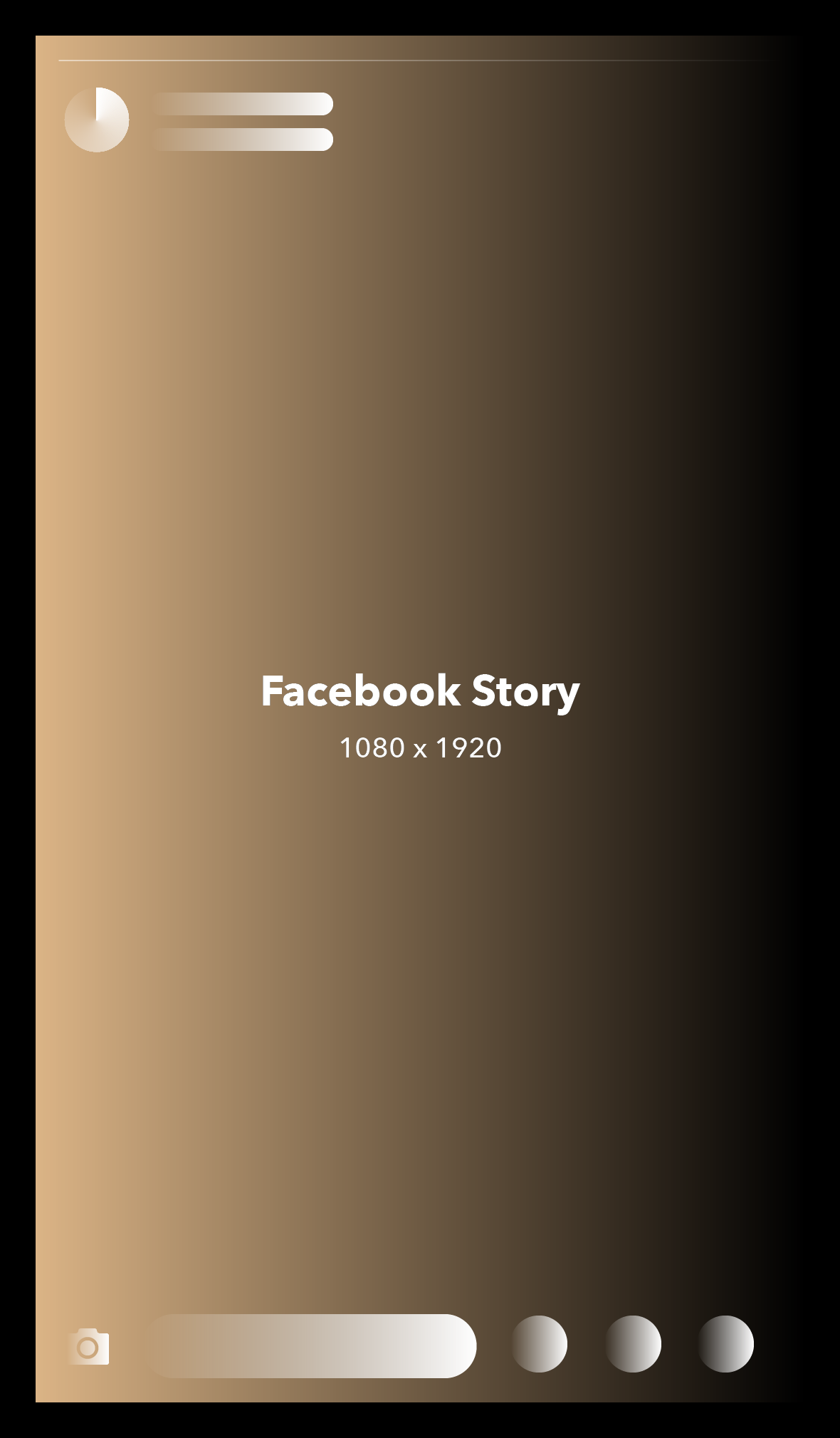
With recent updates, Facebook Stories now allow users to post images in free-form sizes. However, if you want your "story" to look authentic and as if it were captured straight from the camera without editing, the size mentioned above is still the most suitable.
Facebook image sizes for ads and text/link attachments
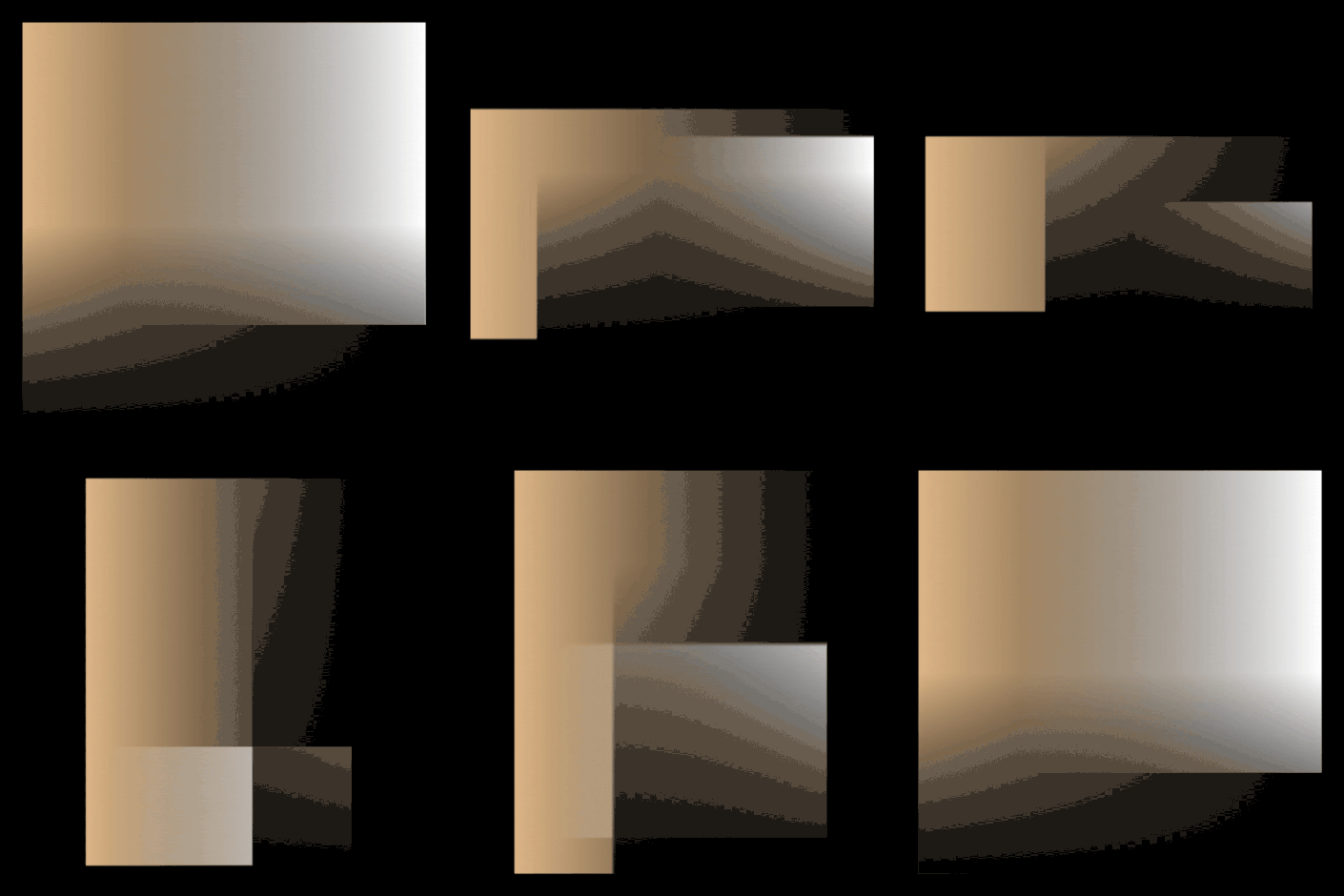
When it comes to images you post and share on the newsfeed, Facebook image sizes let you diversify dimensions across three formats: square-oriented photos, portrait-oriented photos (also called vertical photos), and landscape-oriented photos. However, how your image appears on Facebook depends not only on its own frame size but also on the number and order of the images you upload.
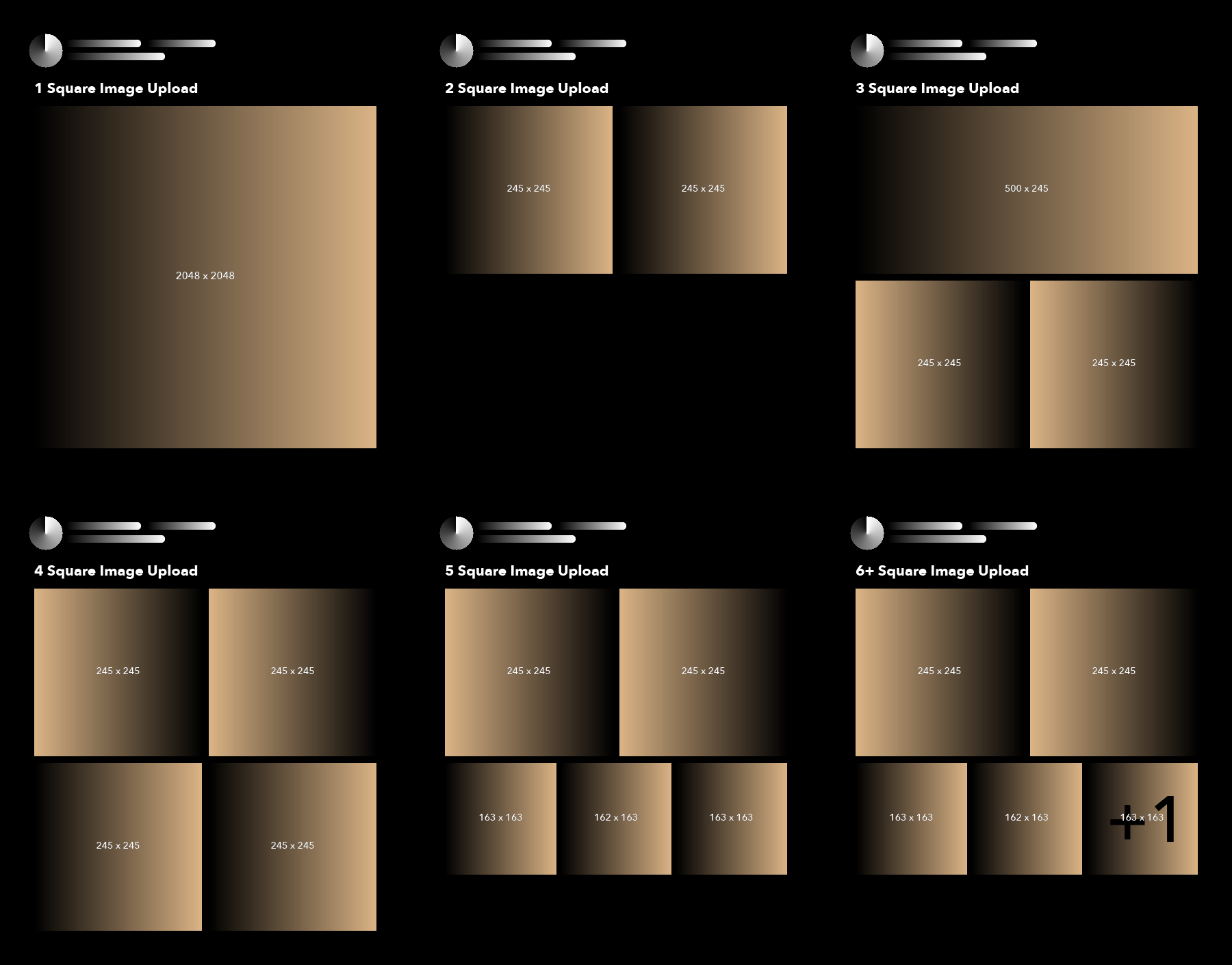
If you post only a single image to Facebook, the maximum achievable width is 492 pixels. The length of the picture depends on the shape or aspect ratio of the image you upload. Horizontal, square, and vertical images have maximum lengths of 276, 492, and 738 pixels respectively. Meanwhile, if you upload multiple square images at once, they will be arranged as follows:
-
2 images: 245 x 246 px (for both)
-
3 images: 492 x 245 px (top image), 245 x 245 px (the 2 bottom images)
-
4 images: 245 x 245 px (for all)
-
5 or more images: only the first 5 are shown, at 245 x 245 px (the 2 top images), 163 x 163 px (bottom left and right corners), 162 x 163 px (the bottom middle image)
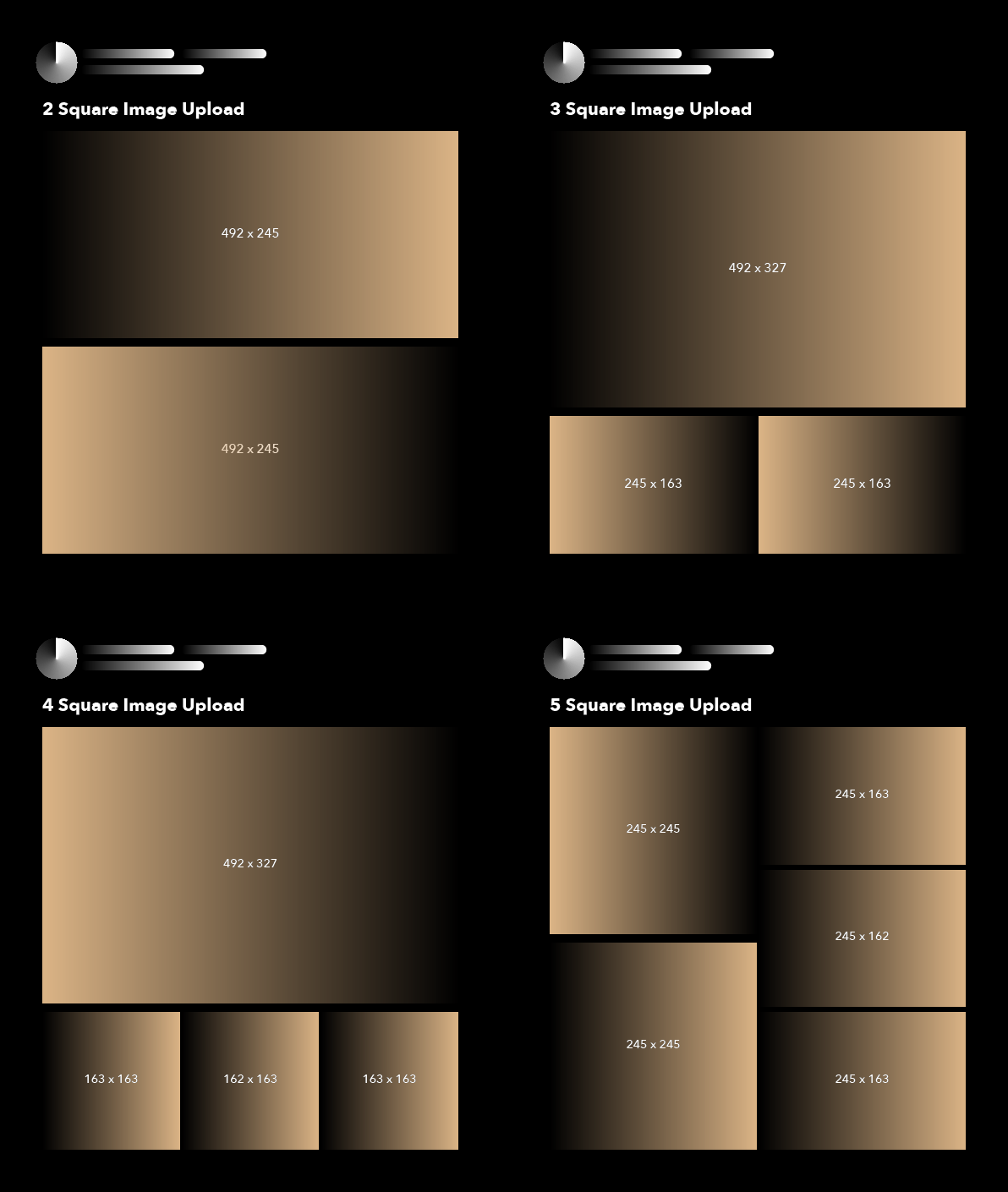
With a group of multiple horizontal images, the Facebook image sizes will be:
-
2 images: 492 x 245 px
-
3 images: 492 x 327 px (top image), 245 x 163 px (the 2 bottom images)
-
4 images: 492 x 327 px (top image), 163 x 163 px (bottom left and right corners), 162 x 163 px (the bottom middle image)
-
5 or more images: only the first 5 are shown, at 245 x 245 px (the 2 left images), 245 x 163 px (the top and bottom images on the right), 145 x 162 px (the middle image on the right)
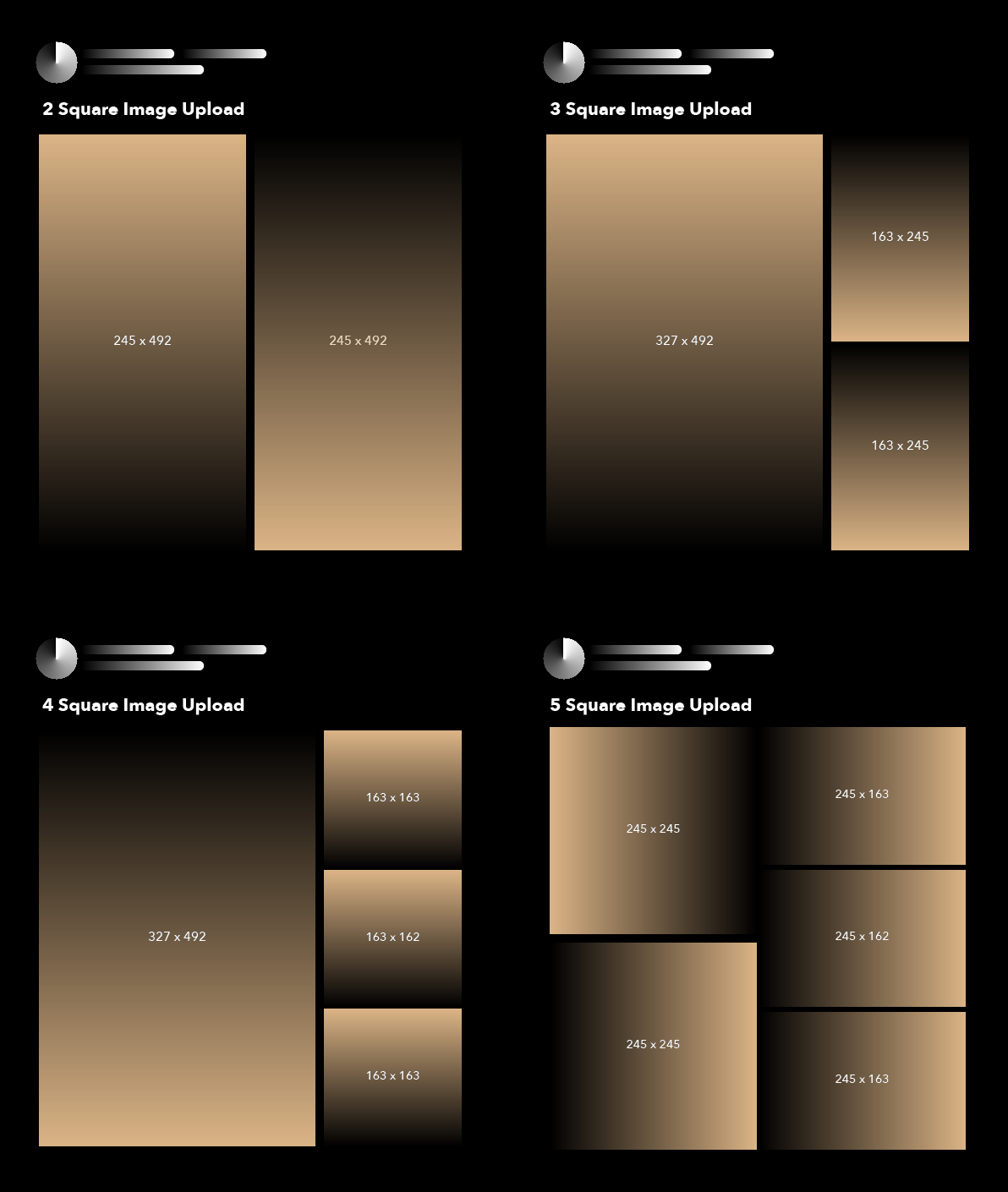
Conversely, with vertical images, the layout for the post will be:
-
2 images: 245 x 492 px
-
3 images: 327 x 492 px (left image), 163 x 245 px (the 2 right images)
-
4 images: 327 x 492 px (top image), 163 x 163 px (top and bottom right corners), 163 x 162 px (the middle image on the right)
-
5 or more images: only the first 5 are shown, at 245 x 245 px (the 2 top images), 163 x 163 px (bottom left and right corners), 162 x 163 px (the bottom middle image)
If you post images in multiple different formats, Facebook will arrange the layout based on the first image. Today, for an effective marketing strategy that attracts viewers, we should combine several different image shapes so that when posted to a fanpage, the images are arranged more attractively and with more variety, without obscuring the content you want to convey. A few example sizes right here will give you more ideas for working with a richer range of Facebook image sizes.
Notes on Facebook image sizes when posting images with links
Page-to-Web ads are among the ad formats businesses prefer when doing social media planning to drive more visitors to their website. When you share a website link, Facebook uses algorithms to find taglines relevant to the image — such as the og:image tag — and uses that image when sharing to the News Feed. So to make sure Facebook picks the image you want, manually insert the og:image tag into the head section (the ) of each page on your website. Another way to control the image chosen to accompany a link is to use plugins, which handle the code and do most of the setup for you.
For most images you share on a personal page or images attached to links, the optimal size is 1200 x 628 pixels. However, whether you share a landscape, portrait, or square image, the Facebook image size will automatically change to 500 x 261 pixels (width x height), or a 1.91:1 ratio, to fit the web browser. One thing to remember when arranging the composition of images in your digital marketing designs: Facebook tends to crop your image from the bottom up. So place the most important details at the top of the image in case you cannot keep the ideal size.
Besides Page to Web, businesses also like to use Multi Product ad formats. For these carousel-style posts, each product image will be cropped to fit a square frame of 300 x 300 pixels.
Through this article, Markdao hopes you now have a more detailed view of social media planning in particular and digital marketing in general. The Markdao Team are experts in social media who make the most of its benefits to help your brand become better known and drive more engagement. Contact Markdao Vietnam right away for advice on the service package that best suits your needs:
Address: 14 Phan Ton, Da Kao Ward, District 1, Ho Chi Minh City, Vietnam
HOTLINE: +84 2871 099 090
Email: [email protected]
Related articles
Bài viết liên quan

25 tháng 10, 2026 · 3 phut doc
2024年网页设计趋势预测如何? | Wotech Electronics
关于 2024 年网页设计趋势——步入 2024 年,年初正是我们为新事物预留时间的时刻。这也非常适合设计师群体唤醒我们内心的"艺术之魂"。闲话不多说,快来和 Markdao 一起浏览 2024 年的 UX/UI 设计趋势吧,说不定您就能为自己接下来的网页设计项目"迸发"出一个绝妙的点子呢!

25 tháng 10, 2026 · 1 phut doc
什么是网站(Website)?网站的详细定义及其带来的商业价值
什么是网站(https://www.markdao.com.vn/blog/website-la-gi)——这个问题或许已经无需定义,因为在如今这个信息时代,网站对每一家企业而言都是不可或缺的组成部分。正是网站帮助用户更近距离地接触企业所提供的产品和服务,从而提升经营效益。此外,要在当今竞争如此激烈的环境中求发展,网站是一个重要因素,它将带你走向品牌与销量上的双重成功。

25 tháng 10, 2026 · 1 phut doc
什么是SEO标准网站?一场"打赢"Google SEO标准的战役 | Wotech Electronics
99%的用户在购买前会先搜索信息,73%的用户只会访问排名前10的网站,并认定它们是值得信赖的品牌……在数字营销爆发的时代,这些数字有力地印证了SEO标准网站的重要性。然而,许多人对什么是SEO标准网站(https://www.markdao.com.vn/blog/huong-dan-toi-uu-seo-website-chuan-seo-on-page)仍然相当模糊,并未真正理解。达到SE…