Vũ Khôi
Tác giả tại Wotech Electronics Blog
IT Helpdesk vs. System Administrator: A Comparison
Vũ Khôi
Author at Wotech Electronics Blog
Comparing IT Helpdesk and System Administrator Roles
In the field of information technology (IT), two important roles with clearly distinct profiles are the IT Helpdesk and the System Administrator. While both play a vital part in keeping an organization's technology systems running, they differ sharply in responsibilities, skills, and scope of work. This article compares the two roles across several dimensions: job duties, skill requirements, level of responsibility, and career opportunities.
1. Overview of the IT Helpdesk Role
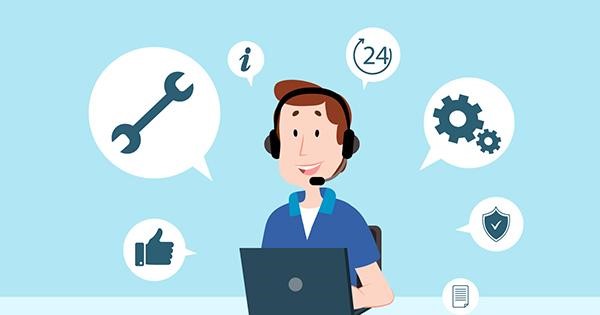
The IT Helpdesk is the unit that supports end users in resolving the technical issues they encounter. These issues may relate to software, hardware, networking, or basic IT problems. Helpdesk staff are usually the first people users turn to when a technology problem arises — from installing software to restoring systems.
Main Duties
-
User support: Resolving technical issues over the phone, by email, or through a ticketing system.
-
Software and hardware installation: Guiding users and installing software, applications, and hardware configurations.
-
Basic troubleshooting: Diagnosing and fixing computer, network, or application-related issues that users encounter.
-
User account management: Setting up and managing user accounts, granting system access rights, and assisting with password changes.
Skill Requirements
-
Communication skills: Communicating effectively to support users and explain technical issues in simple terms.
-
Basic IT knowledge: Common issues such as software configuration, operating systems, network connectivity, and hardware problems.
-
Problem-solving skills: Being able to diagnose and resolve user issues quickly, often in urgent situations.
-
Knowledge of ticketing and remote-support tools: Using support and issue-management software effectively.
Working Environment
-
Working directly with end users, usually company employees or the organization's customers.
-
The working environment can be quite stressful, as user issues must be resolved within short timeframes.
2. Overview of the System Administrator Role
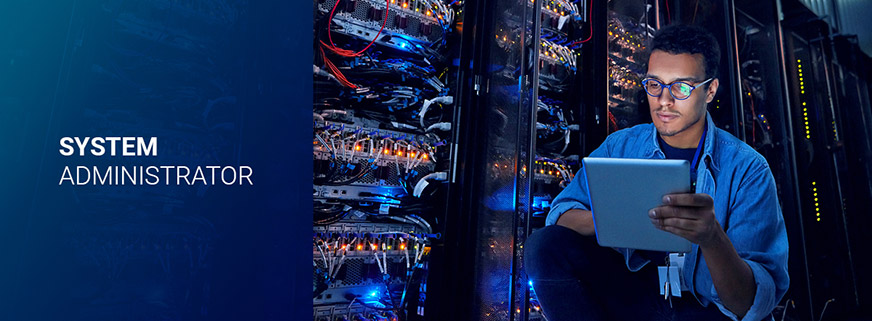
A System Administrator (sysadmin) manages and maintains an organization's IT infrastructure. The job involves not only resolving user issues but also ensuring that servers, databases, and network services run continuously and stably.
Main Duties
-
Server system management: Installing, configuring, and maintaining servers, including web, email, and database servers.
-
Network management: Ensuring the organization's internal network runs stably, securely, and at high performance.
-
System security: Implementing security measures, including access control, firewall setup, and security software updates.
-
Backup and recovery management: Ensuring the organization's data is fully backed up and can be restored when needed.
-
System monitoring and optimization: Tracking system performance and tuning configurations to optimize IT services.
Skill Requirements
-
In-depth knowledge of systems and networking: A firm grasp of server operating systems such as Linux and Windows Server, along with network management tools.
-
Security skills: Being able to implement robust security measures, manage access rights, and protect data.
-
Programming and scripting skills: Using programming and scripting languages such as Bash and PowerShell to automate tasks.
-
Monitoring and incident-analysis ability: Monitoring system activity and troubleshooting when incidents occur.
Working Environment
-
Working with technical teams and IT management rather than directly handling end-user issues.
-
The job demands a high level of attention and the ability to work under pressure in emergencies such as network outages or data loss.
3. IT Helpdesk vs. System Administrator
a. Level of Responsibility
-
The IT Helpdesk is primarily responsible for resolving end users' issues so they can keep working effectively. They are the first to detect and handle problems, but the complexity of the work is generally lower than that of a System Administrator.
-
The System Administrator is responsible for maintaining the organization's IT infrastructure, ensuring that servers, networks, and services run continuously and stably. Their work carries a higher level of complexity because they handle much broader system issues, including the security and stability of the entire IT infrastructure.
b. Required Skills
-
The IT Helpdesk needs strong communication skills, fast problem-solving ability, and basic knowledge of IT tools and systems. They must be able to advise users and support them in using technology.
-
The System Administrator requires deep expertise in systems, networking, and security. They must be able to solve complex problems, plan large IT systems, and optimize services.
c. Scope of Work
-
The IT Helpdesk focuses on supporting end users and handling day-to-day issues, without touching the underlying IT infrastructure directly.
-
The System Administrator has a much broader scope of work, including managing servers, networks, and security. They must ensure that the organization's IT infrastructure is always stable and secure.
d. Career Opportunities
-
IT Helpdesk staff can typically advance into management positions or higher-level technical roles such as System Administrator or Network Administrator after some time on the job and accumulated experience.
-
A System Administrator can go further in systems management, network security, or IT infrastructure development. After many years, they can grow into subject-matter experts or technology executives (CTO).
4. Conclusion
Both IT Helpdesk and System Administrator roles are essential to keeping an organization's IT systems running, but they differ clearly in duties, skill requirements, and scope of work. If you enjoy working directly with users and solving problems quickly, the IT Helpdesk role may suit you. Conversely, if you want a job that demands deeper knowledge of systems and networking — along with responsibility for managing and securing IT infrastructure — then the System Administrator role will be the ideal choice.
WOTECH Electronics provides IT services for every kind of organization.
Related articles
Bài viết liên quan

25 tháng 10, 2026 · 3 phut doc
2024年网页设计趋势预测如何? | Wotech Electronics
关于 2024 年网页设计趋势——步入 2024 年,年初正是我们为新事物预留时间的时刻。这也非常适合设计师群体唤醒我们内心的"艺术之魂"。闲话不多说,快来和 Markdao 一起浏览 2024 年的 UX/UI 设计趋势吧,说不定您就能为自己接下来的网页设计项目"迸发"出一个绝妙的点子呢!

25 tháng 10, 2026 · 1 phut doc
什么是网站(Website)?网站的详细定义及其带来的商业价值
什么是网站(https://www.markdao.com.vn/blog/website-la-gi)——这个问题或许已经无需定义,因为在如今这个信息时代,网站对每一家企业而言都是不可或缺的组成部分。正是网站帮助用户更近距离地接触企业所提供的产品和服务,从而提升经营效益。此外,要在当今竞争如此激烈的环境中求发展,网站是一个重要因素,它将带你走向品牌与销量上的双重成功。

25 tháng 10, 2026 · 1 phut doc
什么是SEO标准网站?一场"打赢"Google SEO标准的战役 | Wotech Electronics
99%的用户在购买前会先搜索信息,73%的用户只会访问排名前10的网站,并认定它们是值得信赖的品牌……在数字营销爆发的时代,这些数字有力地印证了SEO标准网站的重要性。然而,许多人对什么是SEO标准网站(https://www.markdao.com.vn/blog/huong-dan-toi-uu-seo-website-chuan-seo-on-page)仍然相当模糊,并未真正理解。达到SE…